It’s Monday morning. An AE is reshaping an old deck for a 2 p.m. call, sales ops is chasing a pricing exception, and a presales teammate is rebuilding a screenshot that should have been reusable.
That is the moment proposal software becomes a revenue decision, not a formatting one.
The point isn’t to produce a prettier file. It’s to strip out repeated work, make handoffs dependable, and give buyers a clearer route from an approved offer to a decision.
One current market forecast pegs proposal-management software at $3.46 billion in 2026, growing at an estimated 8.5% CAGR through 2032.
Treat that as a directional forecast rather than a universal market fact. It does, though, reflect how much this category now overlaps with revenue operations and procurement.
Research and Markets’ July 2026 market overview describes the category as combining content libraries, approval routing, collaboration, document generation, analytics, and CRM or contract-system integrations. That is a useful frame for buyers.
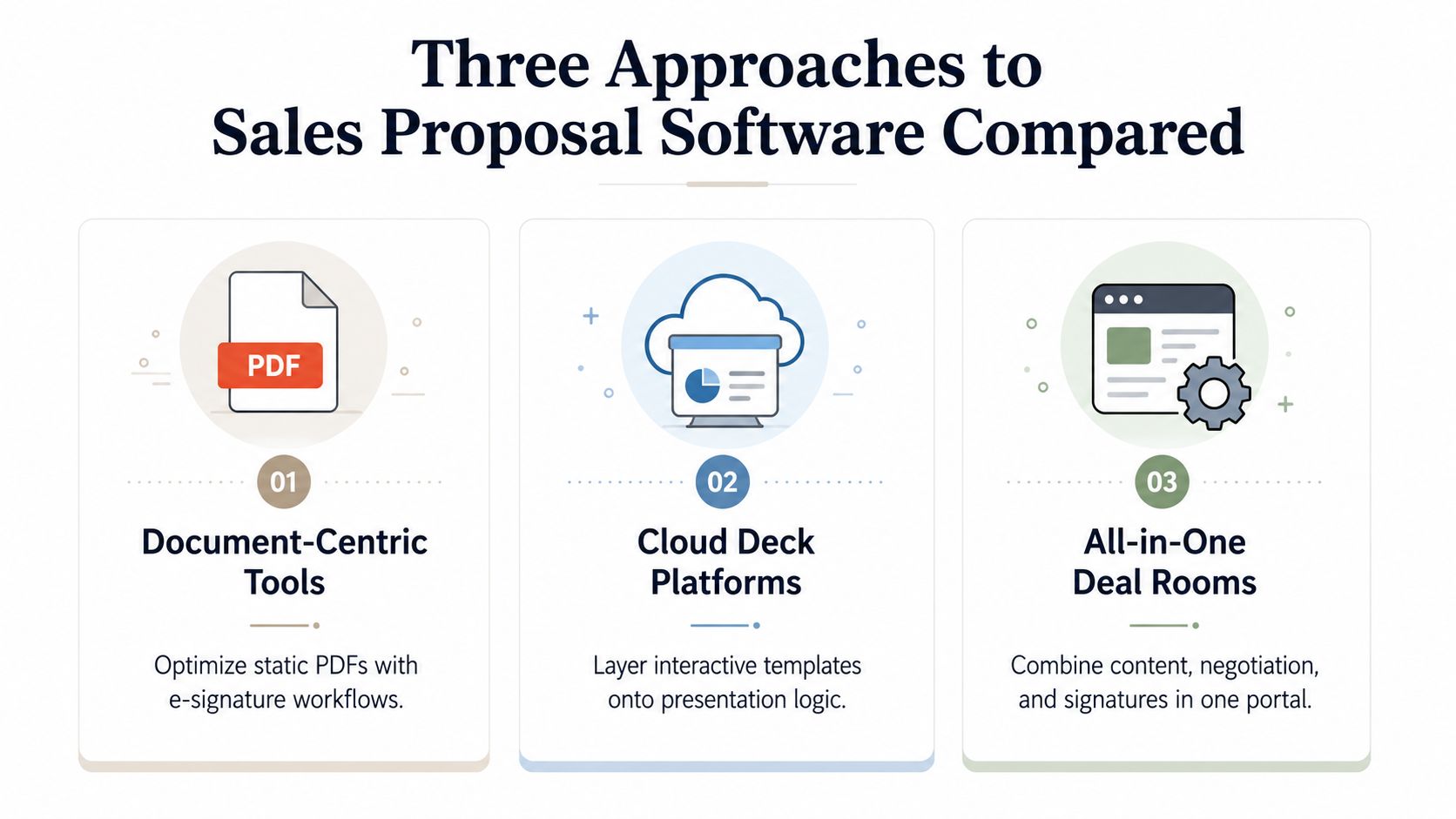
| Approach | Best for | What it changes | What it does not fix alone |
|---|---|---|---|
| Document workflow | Fast sending, signing, and basic CRM handoffs | Replaces emailed attachments with a governed flow | A static buyer experience |
| Presentation platform | Reusable, on-brand account stories | Improves quality and reuse of buyer-facing content | Pricing approvals or contract execution |
| Digital sales room | Complex, multi-stakeholder buying cycles | Creates one destination for the deal | Unclear ownership and poor source data |
When Proposal Software Becomes Necessary
The wrong mental model is “we need a better template library.” The better one is “we need to stop rebuilding the same commercial work for every opportunity.”
A useful system centralizes approved language, product information, deal data, pricing rules, reviews, and signatures. It governs the repeatable parts of the job without making every proposal feel generic.
It matters because the manual version fails in predictable ways: reps copy old content, managers review stale pricing, and buyers get an attachment that is hard to share, discuss, or act on.
Practical rule: If a proposal routinely needs copy-paste work, a pricing check, and an emergency content review, the bottleneck is the workflow—not the template.
How to justify the purchase
“It saves time” is true but incomplete. The stronger business case is whether the tool shortens the path from approved terms to buyer action while keeping the proposal accurate, current, and observable.
Start with your actual leakage: time to a first draft, time from first send to approval, pricing exceptions, content rework, and how many deals need a manual status chase.
What Sales Proposal Software Does in 2026
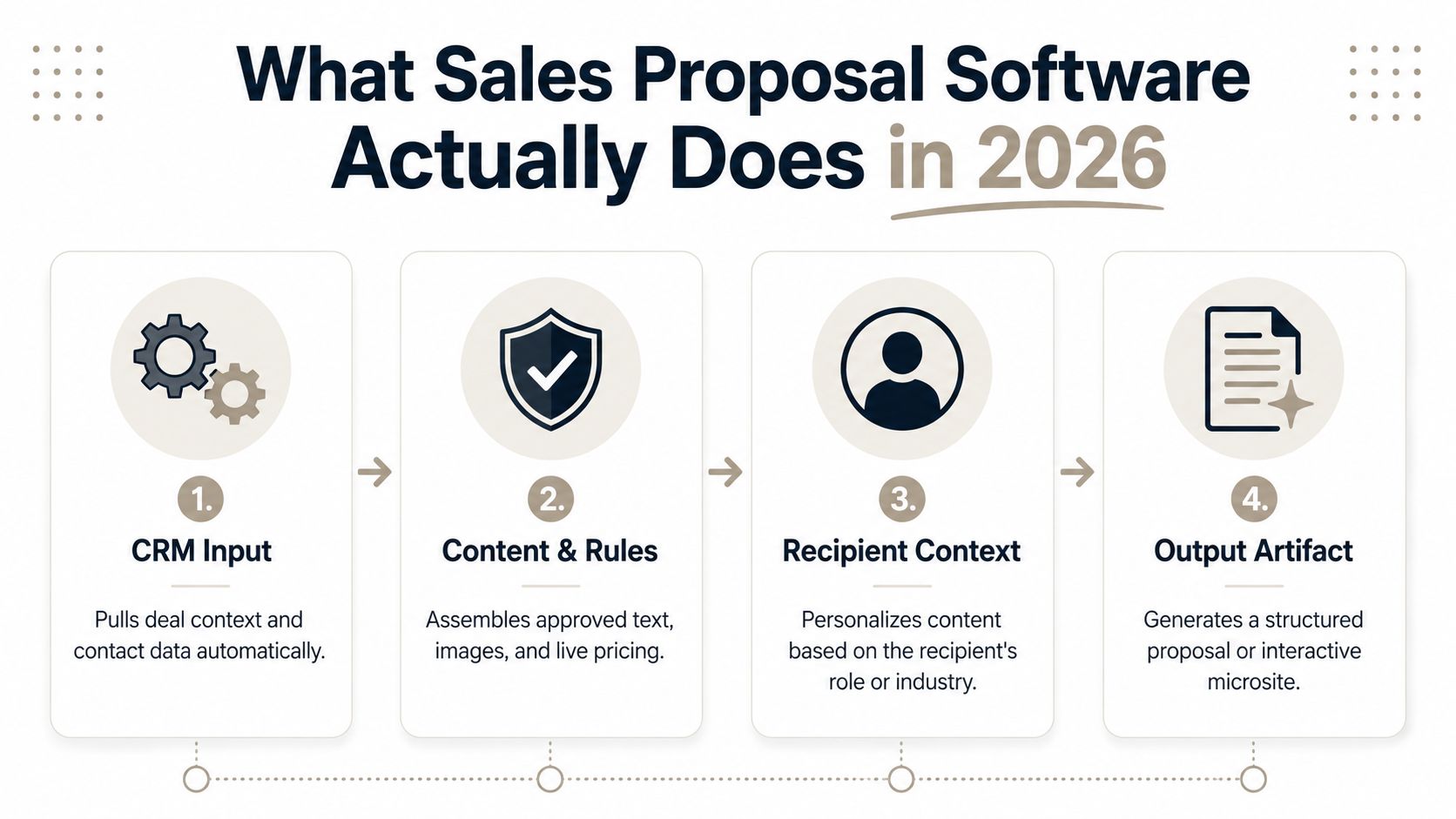
Sales proposal software sits between a document editor and a revenue system. It pulls in deal context, applies approved content and commercial rules, and produces an artifact buyers can review, discuss, sign, or share.
The exact product shape varies. Some tools optimize a document from draft to signature, others build a shareable web experience, and larger teams may run a deal room.
A deal room can tie the proposal to mutual plans, security information, and stakeholder communication.
The baseline capabilities
A credible shortlist should cover templates, a governed content library, collaborative review, e-signature (or a clean handoff to it), engagement signals, and CRM integration. The combination matters more than any single feature.
A template without source-of-truth pricing, for instance, can still create commercial risk. Analytics with no link back to the opportunity record can still create busywork.
And a signature step without approvals can still let a bad offer escape.
Where the category is heading
The important shift is from static attachments to interactive, web-native buyer experiences. It’s why proposal tools now overlap with CPQ, RFP response, contract workflow, sales enablement, and knowledge retrieval.
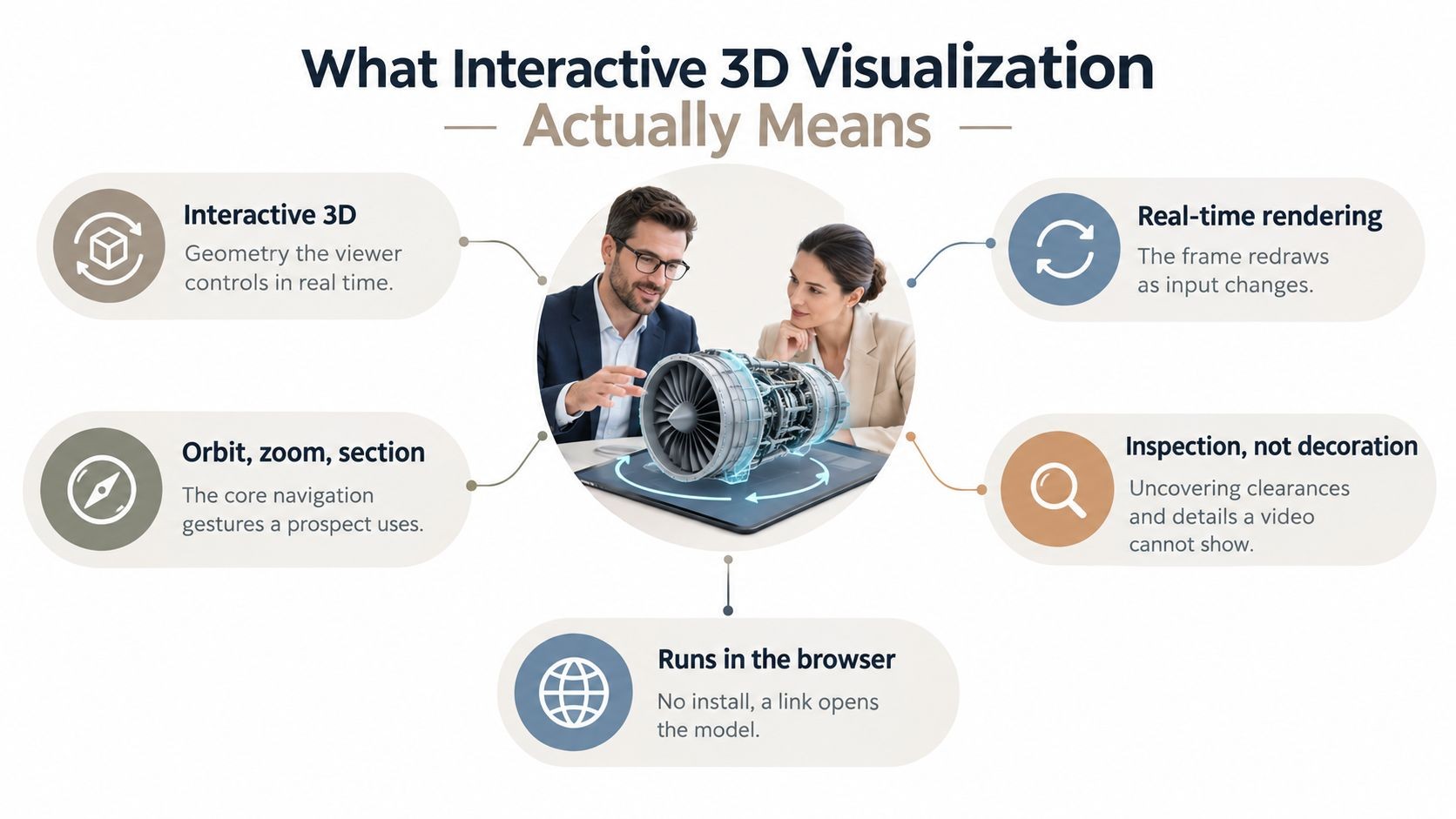
It’s also why presentation platforms belong in some proposal stacks. When a buyer needs to explore the product, implementation plan, or business case, a living presentation can do work a PDF cannot.
See our guide to interactive presentation software for the buyer-facing part of that decision.
Three Approaches to Sales Proposal Software Compared
The market packs several distinct products under the same label. If you don’t separate them, you can buy the wrong thing and then blame adoption.
Document workflow tools
These tools are built to create proposals quickly, collect approval and signatures, and track the basic status of a document.
They’re a sensible replacement for emailed PDFs when a team needs consistency without a complex buyer workspace.
They’re not automatically the right answer for a technical sale. A document-shaped workflow can still leave the buyer with a flat, disconnected explanation of the product and the implementation plan.
Presentation platforms
This middle lane improves the account story. It’s a good fit when the sales motion leans on polished visuals, reusable brand elements, and account-specific customization that beats rebuilding slides by hand.
The trade-off is scope. A great presentation layer doesn’t replace a pricing engine or a contract workflow. It should connect to the systems that own those jobs rather than pretending to be one system for every revenue task.
Digital sales rooms
Digital sales rooms create a destination for the deal. They can pull together the proposal, mutual action plan, product materials, security information, stakeholders, and engagement signals in one shareable place.
They’re most useful when a committee, not a single buyer, evaluates the offer. They also demand more operational discipline: content owners, access rules, CRM conventions, and a clear answer to who maintains the room after it’s sent.
Features and Integration Patterns That Change Outcomes
A polished demo can mask the parts that matter in production. Focus on the capabilities that change how a deal moves—and how reliable the information stays.
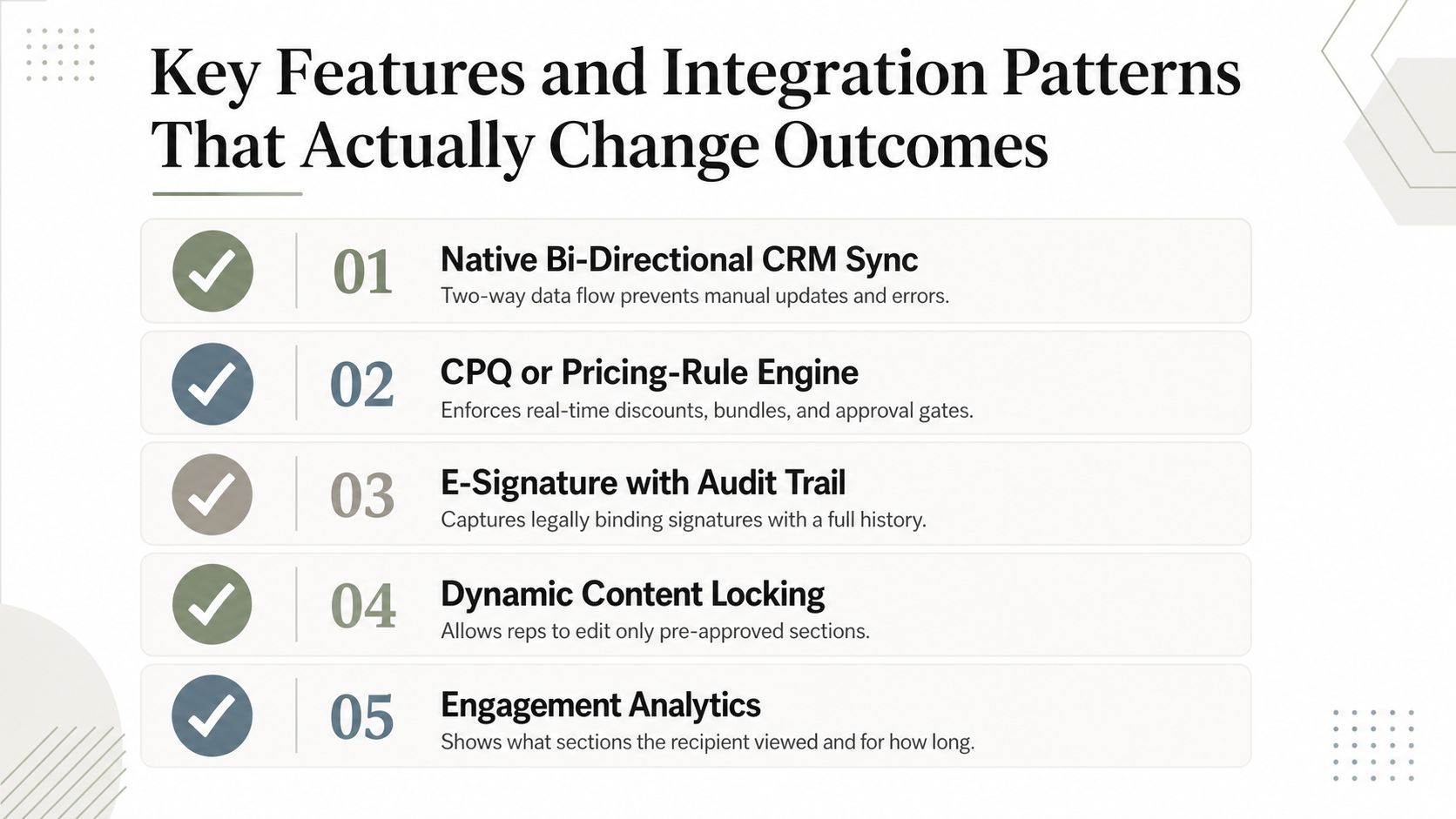
Five patterns worth demanding
- CRM data in the proposal workflow. Reps shouldn’t retype account, contact, or opportunity fields. Decide which system owns each field, and make the handoff visible.
- Governed pricing. Use a CPQ or a pricing-rule engine when price, discount, or configuration complexity warrants it. Don’t make a document editor the source of commercial truth.
- Signature and auditability. The buyer should have a clear next action, and your team should be able to see which version was approved and executed.
- Useful engagement signals. Track the signals your sales process can act on—key sections viewed, meaningful return visits. An open notification on its own is rarely enough.
- An automation surface. If you plan to generate materials from CRM or research inputs, look for a documented API or an MCP interface with scoped access and review controls.
Encelade offers a presentation API and MCP server for generating interactive, shareable decks from text, URLs, CSVs, and documents.
That makes it useful as a buyer-facing presentation layer when a proposal needs more than static content. Learn more about presentation generation for AI agents.
What to ignore in a demo
Don’t overvalue themes if the platform can’t keep commercial data current. Don’t accept analytics that can’t produce a next action.
And don’t buy a workflow that makes experienced reps leave the system they already use just to complete simple work.
Differentiator: The real advantage is governed source data, relevant buyer interaction, and a workflow you can automate without losing brand or commercial control.
Matching the Tool to the User
Buying committees get into trouble when they assume every user needs the same thing. Design the shortlist around the job each role has to do in the five minutes before a buyer sees the proposal.
Account executives
AEs need fast assembly from current deal context, approved language, a clean mobile presentation, and an obvious next step for the buyer. If they have to hunt for content or re-enter CRM data, the tool won’t earn repeat use.
Presales and sales engineers
Presales teams need a richer way to explain product behavior. Interactive demonstrations, implementation plans, live data, diagrams, and embeddable elements matter when the buyer is weighing more than price.
Enablement and RevOps leaders
Enablement and RevOps need governance. They should care about content ownership, approval paths, brand consistency, field mapping, and the ability to see which materials are actually used in real deals.
Agent builders and platform engineers
This group needs documented interfaces, authentication, scoped access, and reviewable output.
Their job is to wire proposal creation into systems and rules so useful first drafts can be produced at scale—without turning unreviewed AI output into a customer promise.
Implementing Proposal Software Without Killing Adoption
A rollout fails when it’s treated as a software installation instead of a revenue-process change. If reps see a template migration with no faster path to a good proposal, they’ll keep using the old deck on their desktop.
A practical 90-day rollout
- Weeks 1–2: align owners. Agree who owns content, pricing, approvals, exceptions, and the CRM fields that populate a proposal.
- Weeks 3–5: migrate the approved core. Start with the few proposal patterns that drive most of the revenue. Retire stale assets instead of importing every old file.
- Weeks 6–8: test the real path. Exercise creation, review, buyer access, signature, and CRM updates with realistic deal data before wider adoption.
- Weeks 9–12: run a focused pilot. Include both experienced and newer sellers. Watch where the workflow breaks, then fix the high-frequency friction before expanding.
The failure modes that sink adoption
- Over-customized templates make every proposal a special project.
- Unowned content creates stale claims and shadow libraries.
- Pricing outside its source system creates approval risk and commercial drift.
- Ignored engagement signals turn a learning system into a slightly nicer sending tool.
- Too many optional fields make reps babysit the process instead of selling.
The biggest adoption risk is rarely rep resistance. It’s unclear ownership of content, commercial rules, and approvals.
Measuring ROI Beyond Adoption Numbers
Seat count, logins, and template uploads don’t tell you whether the platform is working. A team can adopt software and still send slow, inaccurate, or unpersuasive proposals.
Measure a baseline before the pilot, then compare the same measures afterward. Keep them close to the workflow and to revenue.
- Time from request or opportunity update to first buyer-ready draft
- Time from first send to approval or signature
- Reuse of approved content versus ad-hoc creation
- Pricing and content exceptions found during review
- Proposal engagement that leads to a meaningful follow-up
- Opportunity progression and win rate, compared carefully by segment
The useful frame: Evaluate proposal software as a revenue-conversion and control layer, not as a document utility.
Which Sales Proposal Software Fits Your Team?
The right answer depends on how your team sells, not on who can show the longest feature list in a demo.
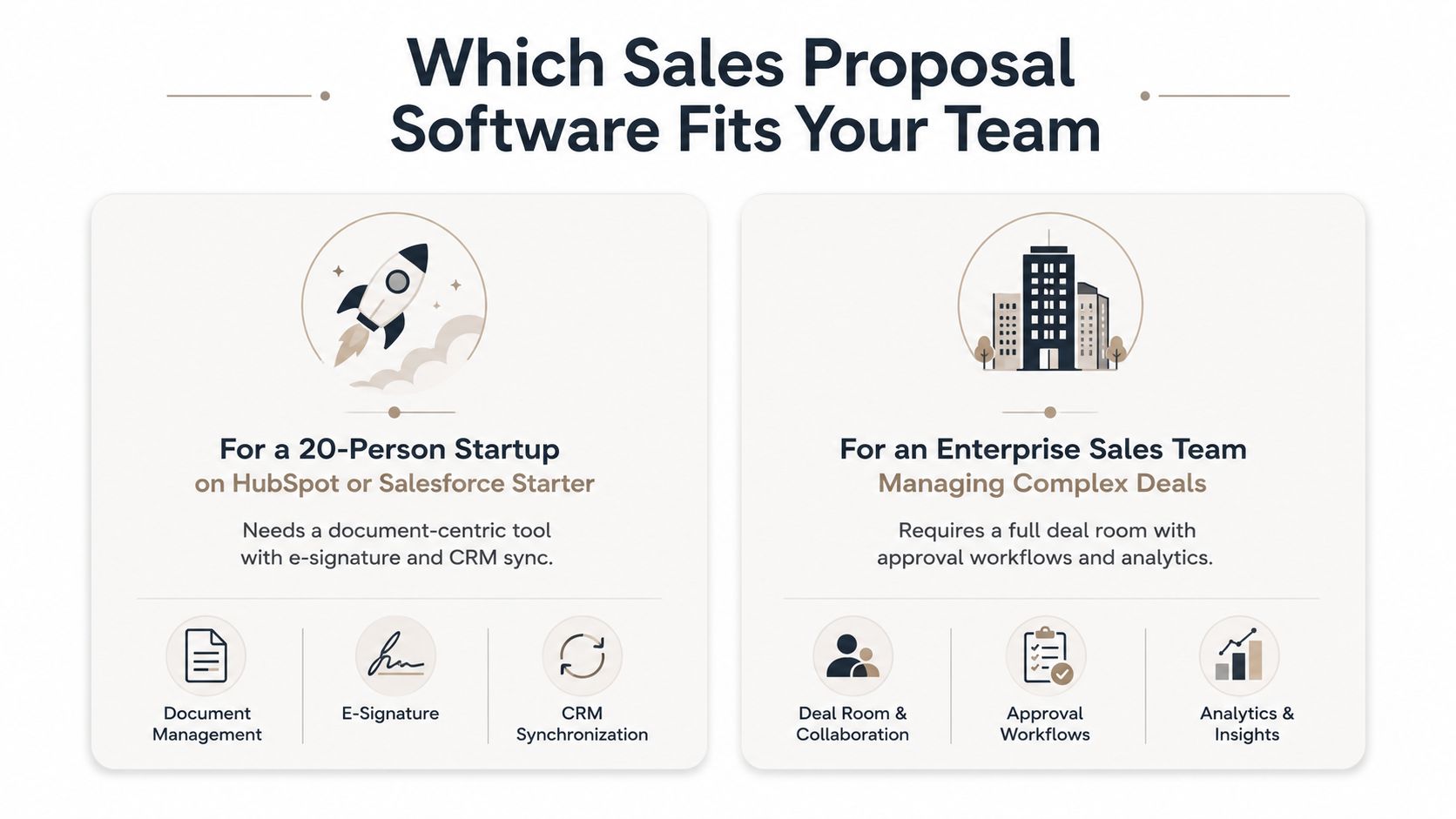
For a 20-person startup
Keep it simple. Start with a reliable document workflow that supports your current templates, a signature path, and the CRM handoff you already need. Don’t buy enterprise governance before you have enterprise complexity.
For a mid-market RevOps team
Prioritize governed content, clear approvals, CRM field ownership, and reporting that shows where proposals stall. Add a presentation layer if the account story needs more tailoring than a document can carry.
For an enterprise sales engineering organization
Consider a web-native presentation or sales-room layer when the proposal is part of a technical evaluation.
The buyer may need live data, rich product visuals, implementation detail, and a clear place for a wider committee to explore the deal.
Final decision rule
Pick the product shape that removes your biggest recurring bottleneck. If signing is slow, fix the send-and-signature flow. If the story is weak, fix presentation quality and reuse.
If the sale is interactive and data-rich, add a web-native buyer experience.
Buy the workflow that fixes the bottleneck you actually have, not the one that made the demo feel most exciting.
If your proposal needs to turn research, CRM context, spreadsheets, and documents into an interactive, browser-based presentation, Encelade can provide that buyer-facing layer.
Explore the Presentation API or learn how to connect the workflow to AI automation.