Less copying.More consistent sales content.
Connect CRM and spreadsheet data to your decks. Reuse branded content, link proposals to HubSpot deals, and automate deck creation with the API.
What you can create.
Use the numbers you maintain
Connect HubSpot or Sheets to charts and statistics. Salesforce supplies statistic widgets.

Keep the proposal on the deal
Write a deck link back to its HubSpot deal so the team can find it.
Automate repeat work
Generate decks through the REST API, MCP, or n8n as part of your own workflow.
Your notes. A deck ready to edit.
Turn sales notes and documents into a branded draft with AI. Review the content and make it yours.
See it in action →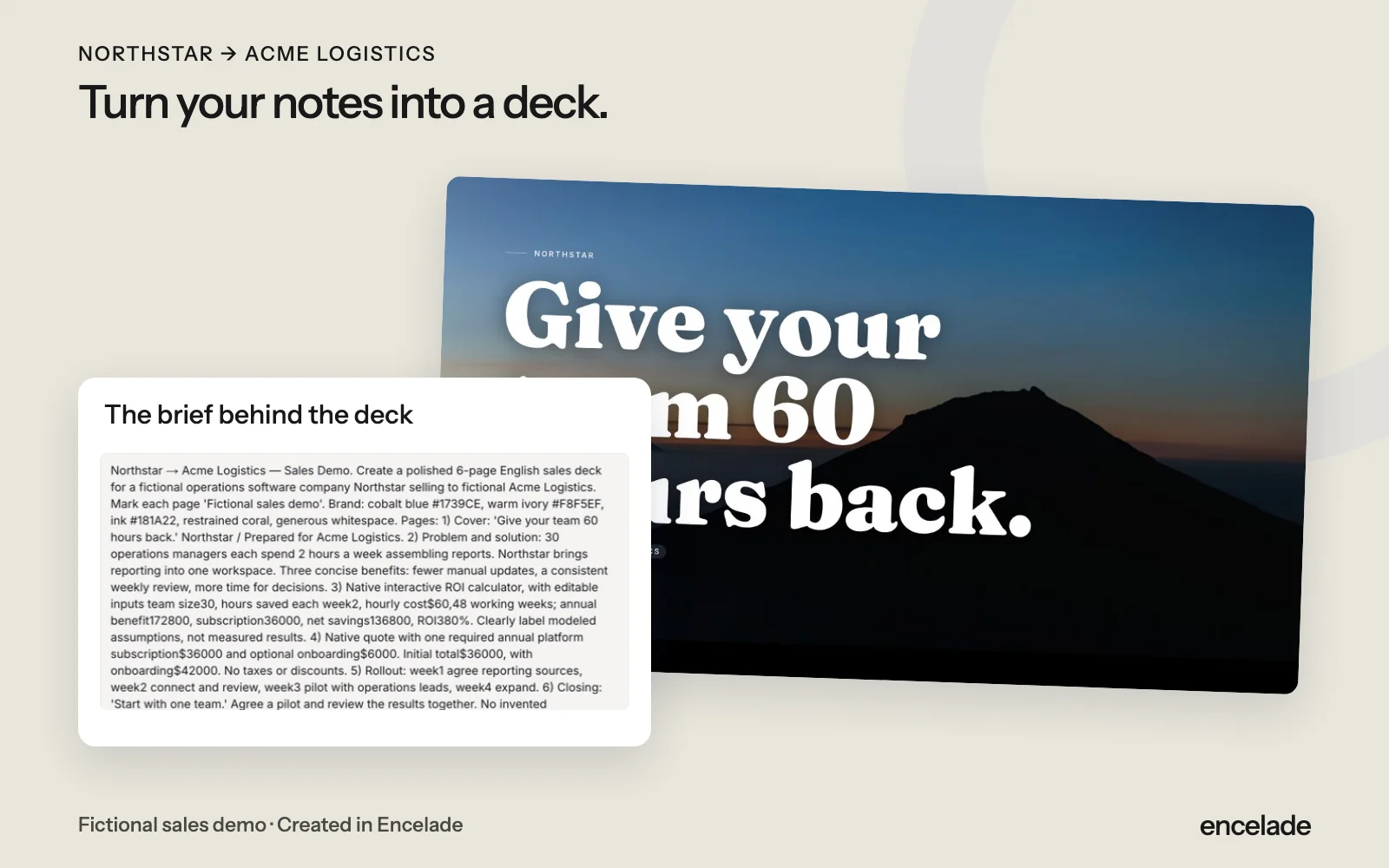
Common questions.
What syncs back to CRM?
With deal-write access enabled, HubSpot receives the linked deck URL, engagement totals, and proposal status. Timeline cards require a separate HubSpot capability. Salesforce is read-only.
How do I update connected data?
Use the source’s refresh controls and review the results before sharing. Connected data can be cached.
Can I generate decks on a schedule?
Yes. Call the generation API from your scheduler or automation tool.