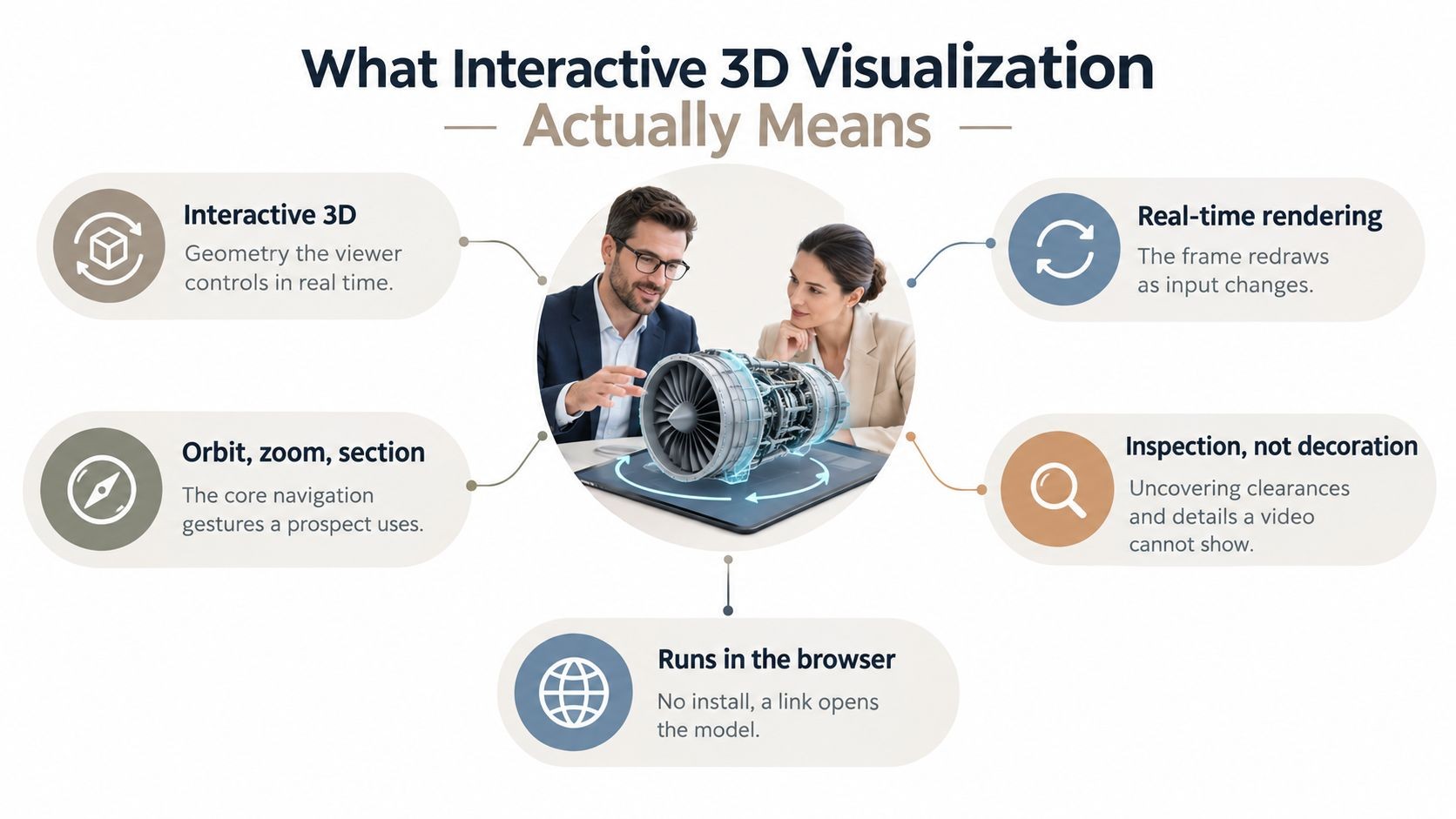
Most revenue teams still present complex products with flat screenshots, cropped CAD exports, and PDFs that force buyers to mentally reconstruct the product on their own. That works for simple offers. It breaks down fast when you’re selling machinery, hardware, configurable systems, medical devices, or anything with internal components, optional assemblies, or space constraints.
Interactive 3D product visualization is moving from a niche, high-budget asset into a standard part of how technical products get sold — and buyer preference is a big reason why. In a 2020 Harris Poll survey commissioned by Threekit, 60% of online shoppers said they’re more likely to buy a product when it’s shown in 3D or AR (Harris Poll / Threekit). That signal should change how B2B teams think about demos, proposals, and follow-up decks.
The practical problem isn’t whether 3D is useful. It’s how to get from a heavy design file to something an AE or sales engineer can use in a live call, a follow-up deck, or a technical proposal without slowing the deal down.
The End of the Static Sales Deck
Static sales materials were built for a simpler product story. One screenshot, one spec table, one architecture diagram. That model starts to fail when the buyer needs to understand motion, fit, internal structure, optional parts, or how one component relates to another.
A flat PDF also creates hidden work for the buyer. They have to infer size from a perspective render. They have to guess whether a connector sits on the left or right side. They have to remember what changed between version two of the proposal and the latest email attachment. In technical sales, that friction shows up as delayed feedback, extra clarification calls, and more internal forwarding with no real momentum.
The rise of 3D product visualization isn’t a design trend. It’s a response to that friction. Buyers don’t just want prettier content. They want faster understanding.
Static slides usually fail at the exact moment a buyer asks, “Can I see how that part sits inside the assembly?”
The account executive feels this first. They’re trying to explain a product with a screenshot grabbed from Blender, a CAD export that looks too raw, or a polished marketing render that looks good but can’t be manipulated. The sales engineer joins the call to fill the gap, opens another tool, shares another screen, and the narrative breaks.
That handoff problem is why 3D matters in B2B sales decks.
Where static content breaks down
| Sales moment | Static deck problem | Better 3D outcome |
|---|---|---|
| Discovery call | Product looks abstract | Buyer can rotate and inspect |
| Technical review | Internal parts stay hidden | Key components can be highlighted |
| Proposal follow-up | Champion forwards stale file | Link stays current and interactive |
The strongest teams treat 3D product visualization as part of the sales workflow, not a separate creative project. The goal isn’t cinematic realism for its own sake. The goal is to make complex products easy to understand in the flow of a deal.
When teams get this right, the deck stops being a document and starts acting like a product tour.
What Is 3D Product Visualization Really
A useful way to explain 3D product visualization to a business team is this. A static image is like a paper map. An interactive 3D model is closer to Google Earth. Both represent the same thing, but one gives you a fixed angle and the other lets you explore.
That difference sounds obvious until teams start buying tools or briefing vendors. Many leaders ask for “3D” when what they receive is a set of still renders. Those can be excellent marketing assets, but they don’t solve the same sales problem.
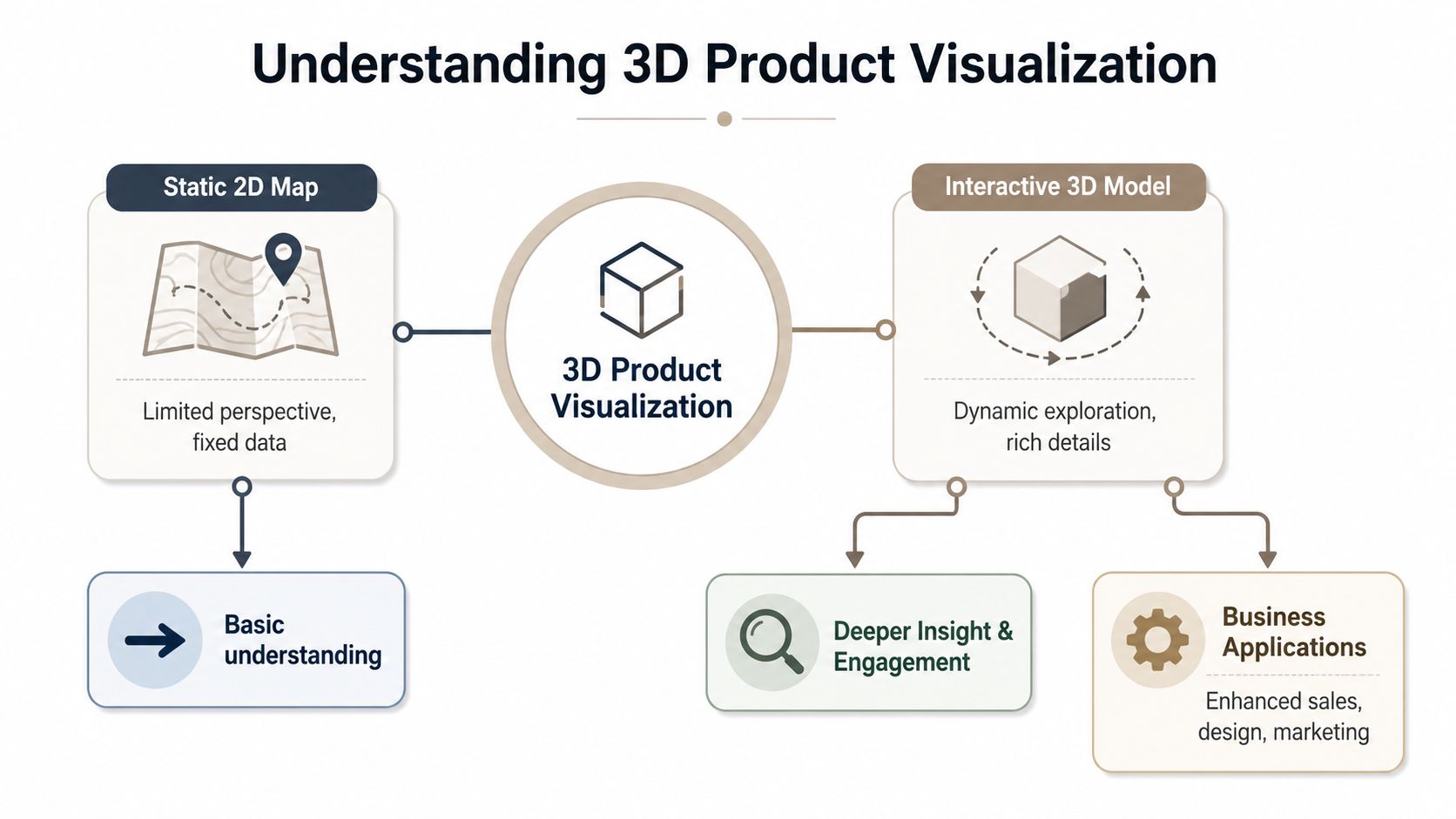
From flat reference to spatial understanding
In a buyer conversation, the leap from 2D to 3D is about comprehension. When someone can rotate a product, zoom into an enclosure, and view it from the installation angle that matters to them, they stop translating. They start evaluating.
That makes 3D product visualization especially useful when your product has any of these characteristics:
- Complex geometry that isn’t obvious from one hero angle
- Physical constraints such as clearance, orientation, or fit
- Multiple layers or assemblies that need explanation
- Premium materials or finishes that affect buying confidence
Practical rule: If your reps often say “it makes more sense when you see it live,” the deck needs a native 3D object, not another screenshot.
Three formats buyers often confuse
Not all 3D content does the same job. Teams should separate it into three buckets.
- Static photorealistic render. This is the polished product image. It’s useful for landing pages, hero slides, and brand-controlled messaging. It’s fixed. The buyer can’t inspect anything beyond the chosen angle.
- Pre-rendered animation. This is the movie version. It can show assembly motion, exploded views, or a guided path through key features. It’s stronger than a still image, but the viewer remains passive.
- Interactive 3D model. This is the hands-on object. The buyer controls the camera, zoom, and rotation. In some workflows, they can also switch variants, isolate parts, or inspect materials.
A lot of confusion comes from treating those three outputs as interchangeable. They aren’t. A render is great when you want visual polish and consistency. An animation is great when you need narrative control. An interactive model is what helps a technical buyer answer their own questions during evaluation.
3D visualization itself is not new, but the commercial shift is recent: from sketches and static renders to dynamic, explorable models that buyers can rotate and customize in real time. For B2B teams, that’s the key shift. The asset is no longer just content. It’s an interface.
Why 3D Is a Game-Changer for B2B Sales
The strongest argument for 3D in B2B sales isn’t novelty. It’s reduction of confusion.
When a buyer has to decode screenshots, every feature explanation takes longer. Internal champions struggle to retell the story. Procurement sees a spec sheet. Technical evaluators see fragments. The seller ends up repeating the same explanation across calls because the material doesn’t carry enough context by itself.
Native 3D changes that. When a buyer can manipulate the object directly, they spend less effort decoding flat screenshots and more on evaluating fit — and they tend to remember what they inspected themselves far better than a slide they passively watched. The cognitive load of reconstructing the product in their head drops, because the product is right there to examine.
Clarity closes more than flair
That matters most when the product isn’t easy to explain with one screenshot. Think industrial hardware, robotics, packaged equipment, or infrastructure components. In those sales cycles, visual clarity does real work:
- It shortens explanation time. Reps spend less time orienting the buyer.
- It improves internal forwarding. Champions can send the same interactive view to engineering, operations, or finance.
- It lowers avoidable skepticism. Buyers can inspect the object directly instead of relying on verbal reassurance.
The practical upside is fewer “Can you send another view?” loops.
Where it changes buyer behavior
Interactive 3D has the biggest effect in moments where trust depends on understanding. That usually happens in three places.
First, early evaluation. Buyers need a fast mental model of the product. Second, technical validation. They want to inspect details that static assets hide. Third, post-call sharing. The champion needs a clean way to replay what mattered.
Buyers remember what they explored themselves better than what they saw on a passive slide.
There’s also a competitive angle. If your team shows a product as a living object and the competitor sends another PDF, the difference isn’t cosmetic. You made the product easier to grasp. In a crowded category, that becomes part of how buyers judge ease of implementation, maturity, and confidence in the vendor.
A lot of teams frame 3D as a premium add-on for flagship deals. In practice, it’s more useful as a repeatable sales asset for any product whose value depends on seeing shape, motion, orientation, or detail.
The Tech Stack Demystified
Most sales leaders don’t need to learn Blender shortcuts or rendering theory. They do need to know enough to ask for the right asset in the right format, and to spot when a beautiful studio render won’t survive web deployment.
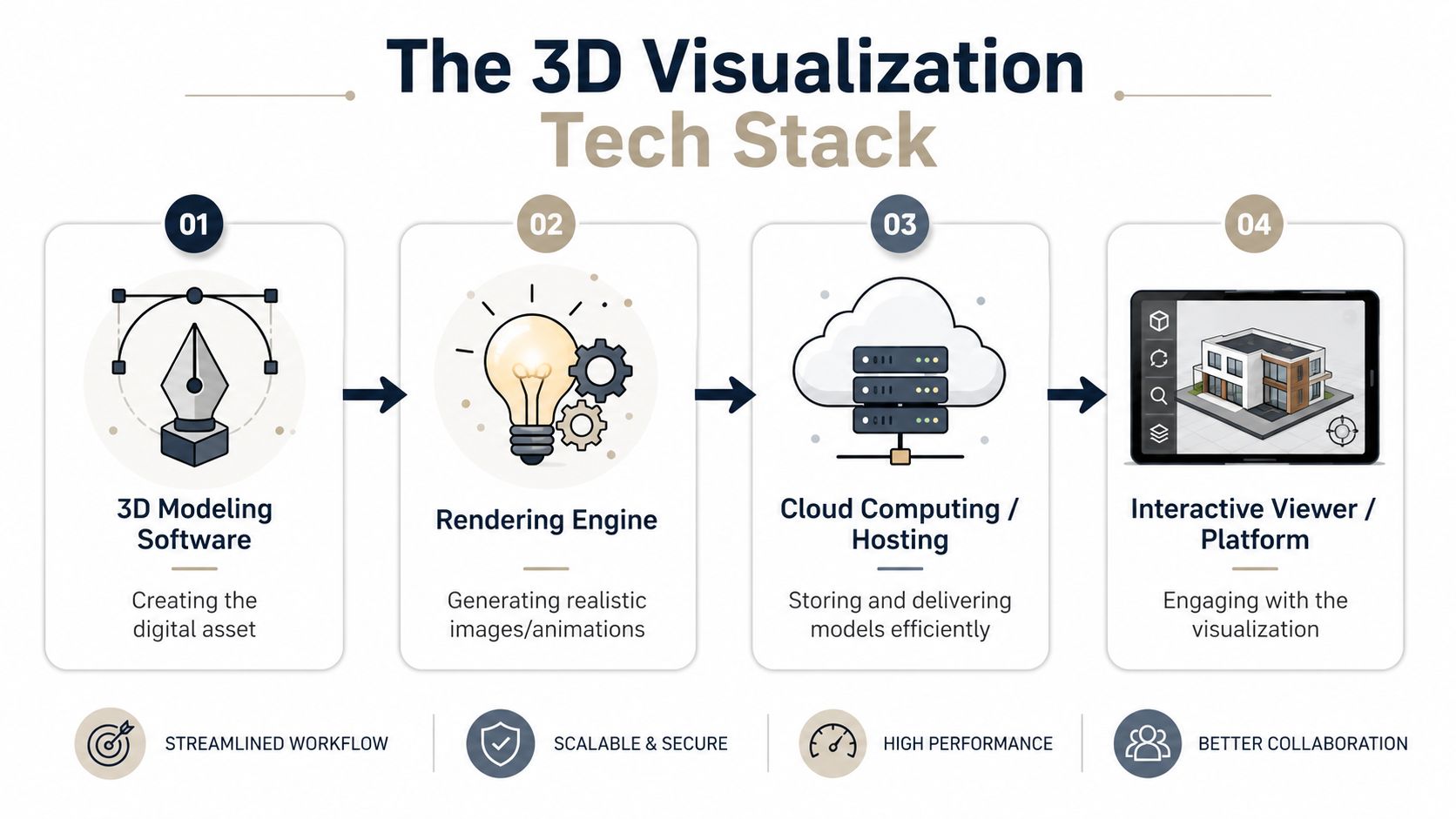
What sales teams actually need to ask for
A simple mental model helps.
Modeling software such as Blender, Maya, or a CAD system is where the product asset is created. That’s the source world. It’s often too heavy or too specialized for a buyer-facing deck.
Rendering involves teams generating photorealistic images or video from that source asset. At this stage, materials, lighting, reflections, and surface detail get dialed in.
Deployment is a different job. The model has to load fast in a browser, work on standard devices, and still look credible. For that, the practical web formats are glTF and GLB. If you’re briefing an internal 3D team or agency, this is usually the first format question to ask.
For browser delivery, 3D assets need to be converted to glTF/GLB, and that process includes geometry simplification and texture baking so the model can render on standard devices without plugins, as outlined in this technical guide to web-ready 3D assets.
Where deployment usually fails
The last mile is where many projects stall. A team has a good model, but the asset was built for cinema-quality output or internal design review, not for a web-native presentation.
Here are the failure points I see most often:
- Too much geometry. The model contains detail that looks impressive in an offline render but slows interaction in-browser.
- Material mismatch. Surfaces that looked right in one renderer behave differently in real time, especially glass, metals, labels, and reflective finishes.
- Texture problems. Poor UVs, wrong label placement, flipped normals, or missing thickness make the model look “off” in ways buyers notice immediately.
- Wrong handoff format. Design hands sales a native project file instead of a browser-ready asset.
A useful request from sales to technical teams is straightforward: give us a web-ready GLB that preserves shape, material intent, and brand-critical details, and test it in the presentation environment, not just in the modeling tool.
If your team needs programmatic deck generation or wants to automate 3D embedding instead of doing hand-built slide work, an API-first workflow matters. A good example is a presentation API for generating web-native decks that can fit into a broader revenue workflow.
Best Practices for Web Deployment
A strong model can still fail the moment a buyer opens it on a laptop during a call. That’s why web deployment deserves the same rigor as the modeling phase.
Sales teams don’t need the maximum possible detail. They need the best usable detail. The buyer should be able to open the deck, rotate the product, zoom into the key area, and move on with no friction.
A deployment checklist that holds up in real calls
Use this as a practical filter before a 3D asset reaches a rep.
- Load speed first: If the model makes the viewer wait, the rep loses control of the moment. Optimize for quick interaction, not studio perfection.
- Keep textures disciplined: Labels, product markings, and branded surfaces matter more than invisible underside detail.
- Test common devices: What works on a high-end workstation may feel broken on a standard sales laptop or phone.
- Check material behavior: Transparent housings, brushed metal, and reflective finishes need a browser test, not just a render review.
- Make rotation intuitive: Buyers shouldn’t need instruction to inspect the object.
- Prefer link-based delivery: A shared link removes installation friction and keeps the asset in one controlled environment.
A 3D viewer that stutters, freezes, or asks for a plugin is worse than a static image.
What doesn’t work in buyer-facing decks
Some patterns keep showing up, and they almost always backfire.
One is embedding a video of a rotating model and calling it interactive. It isn’t. Another is shipping a downloadable file that the buyer has to open elsewhere. That breaks the sales flow and introduces security hesitation. A third is using a highly accurate engineering asset with no optimization. The geometry may be excellent, but the experience feels slow and brittle.
Web-native delivery is the standard to aim for because it preserves continuity. The buyer stays in the deck, in the browser, in the same narrative context. They don’t bounce between file downloads, local apps, and separate viewers.
For day-to-day revenue work, a good deployment standard usually includes:
| Requirement | Why it matters in sales |
|---|---|
| Browser-native viewing | No plugin friction |
| Stable sharing link | Easier forwarding and version control |
| Responsive layout | Works on laptop and mobile |
| Simple controls | Faster buyer adoption |
Good deployment is less about visual bravado and more about reliability. If reps can’t trust the asset to load on every call, they won’t use it. Once that happens, the project becomes a design archive instead of a sales tool.
Putting 3D to Work in Your Sales Decks
The most effective use of 3D in sales decks isn’t a generic product spin on a marketing slide. It’s a controlled interaction placed at the exact point where the buyer usually gets stuck.
A live demo flow that works
A common workflow in technical sales looks like this. The AE opens with the business problem and keeps the first slides simple. When the conversation reaches the product itself, the sales engineer brings up an interactive model inside the deck rather than switching to a separate viewer.
At that point, the model does specific work:
- The buyer rotates to the side that matters for installation.
- The sales engineer zooms into the component that usually drives objections.
- The team answers layout or access questions in context.
- The rep moves back into commercial slides without losing the thread.
That continuity is what static PDFs never deliver well. They force a series of disconnected explanations. A good interactive deck keeps the product, the narrative, and the next step in one place.
In our experience, a buyer who can rotate and zoom a model spends meaningfully more time on that part of the deck than they would skimming a static slide. More time isn’t automatically better, but in this context it usually means the buyer is actively inspecting the product instead of passively flipping past it.
A rep also needs ideas for where to place those interactions. This collection of presentation interaction ideas for buyer-facing decks is useful because it focuses on interaction design, not just slide decoration.
After the call
The follow-up is where 3D often creates more value than the live demo.
Instead of sending a PDF and asking the champion to explain the product internally, the team can send a link to the same interactive deck. That gives engineering, operations, and procurement a shared reference point. People can inspect the exact object discussed on the call, not a flattened approximation.
When the champion can replay the product story without scheduling another meeting, your deck starts doing selling between calls.
A practical version of this might include an exploded assembly view for technical stakeholders, a materials close-up for quality concerns, and a plain-language slide after the model for commercial decision-makers.
Later in the cycle, video can support the deck when you want a guided motion sequence instead of free exploration. This works well for showing assembly order or internal flow.
The old way was fragmented. One PDF, one CAD screenshot, one screen share, one follow-up attachment. The better workflow is a single web-native deck that lets the buyer inspect, understand, and share.
Measuring Impact and Scaling Success
The mistake often made is measuring 3D with the wrong lens. They ask whether the model looks impressive. The better question is whether it changes buyer behavior in the deal.
Metrics that matter
Start with interaction metrics that map to actual evaluation.
- Time on the 3D slide: Did buyers spend time exploring or skip past it?
- Interaction depth: Did they rotate, zoom, and inspect key regions?
- Replay in follow-up: Did internal stakeholders come back to the same view?
- Feature discovery: Which parts of the model got attention during technical review?
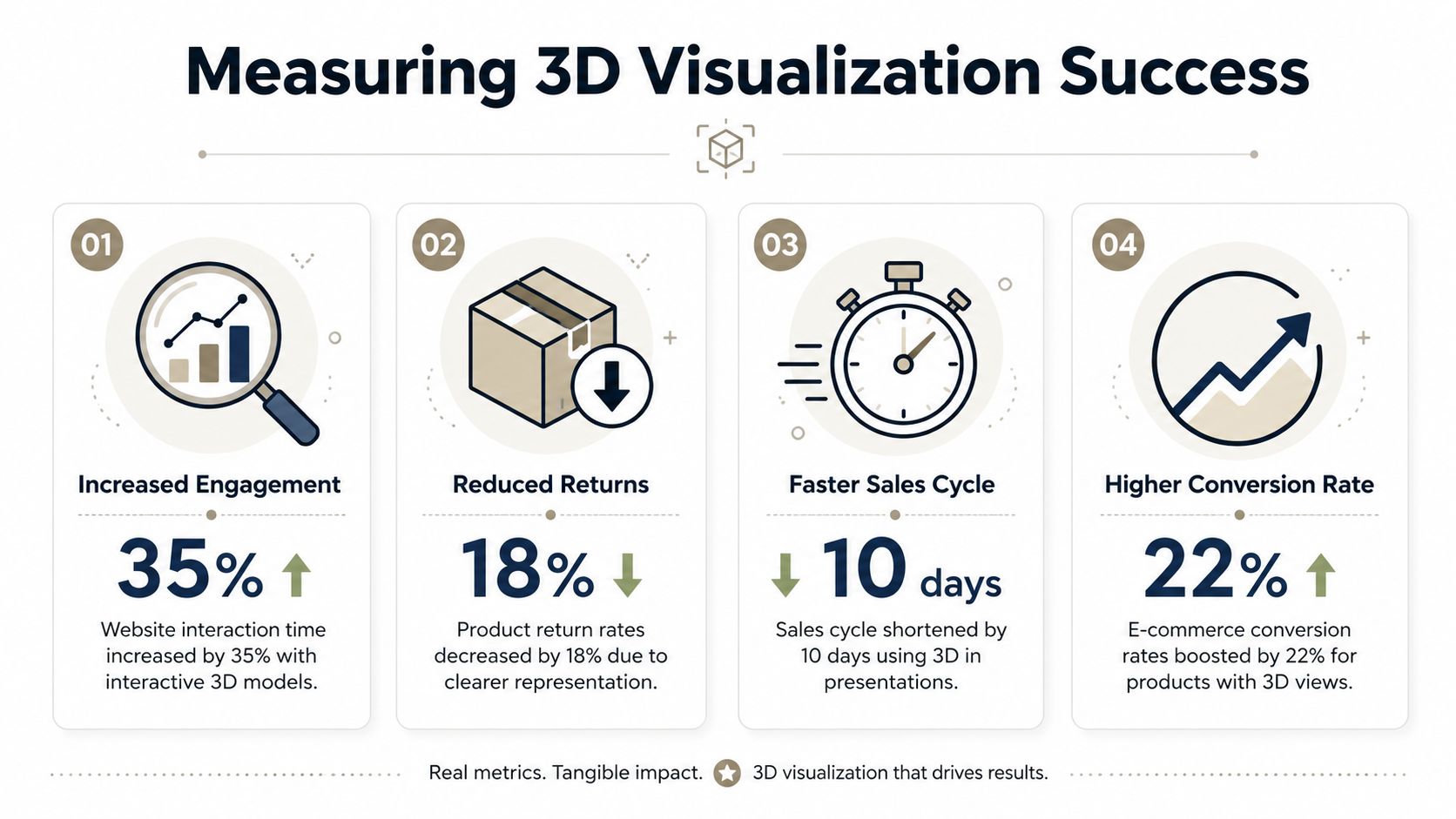
Those metrics matter because they tell you whether the model is helping the buyer understand the product, not just admire it.
How teams scale without burning presales time
Scaling usually breaks when every 3D asset has to be manually converted, cleaned up, and re-embedded for every deck. That creates a presales bottleneck. It also discourages reps from using 3D except in large deals.
The pattern we see is consistent: when every asset has to be hand-converted and re-embedded for each deck, presales teams lose hours of skilled time to format wrangling rather than selling. That’s a strong signal that manual workflows don’t scale for revenue teams. In practice, that means you need a repeatable path from source asset to browser-ready model, and from model library to account-specific deck.
The operational model that works is simple. Product or design teams maintain approved assets. Revenue teams pull from that library. The presentation layer handles embedding, sharing, and engagement tracking. Proposal structure matters too, because 3D works best when it’s placed inside a clear commercial story. This guide on how to structure a proposal for buyer comprehension is a good reference for that part of the workflow.
If 3D product visualization stays a handcrafted exception, adoption stalls. If it becomes a standard asset pipeline for decks, proposals, and follow-up links, it starts compounding across the whole sales motion.
If your team wants to turn heavy product assets into buyer-friendly, web-native presentations without the usual manual slide work, Encelade is worth a close look. It gives revenue teams a practical way to build interactive decks with native 3D, live data, and link-based sharing, so the product story stays clear from first call to final proposal.