You’ve seen the pattern. A deal is moving, the prospect asks for proof, and the rep sends a case study that looked fine in the content folder. Two pages later, the buyer still doesn’t know what changed, how the customer implemented the solution, or whether the results were real. The document wasn’t wrong. It was flat.
That’s the hidden problem with the average case study template. Teams often put serious effort into collecting logos, quotes, and screenshots, then package them in a format that makes buyers work too hard. A strong case study should reduce friction in the deal. It should answer the buyer’s next question before they ask it, show evidence without overexplaining, and make the story easy to reuse in email, live calls, and follow-up decks.
The good news is that the fix usually isn’t more copy. It’s better structure, better proof, and a format that works the way modern B2B buying operates.
Why Your Old Case Studies Are Costing You Deals
An AE sends a polished PDF after a strong discovery call. The buyer opens it, scans for ninety seconds, and replies with the same questions they already asked on the call. What industry was the customer in? What was the actual problem? How long did rollout take? What changed in measurable terms?
That case study didn’t fail because the story was weak. It failed because the structure forced the buyer to hunt for the signal. In live deals, buyers won’t do that work for you.
A better case study template starts with sequence. The buyer needs context, then challenge, then solution, then proof. That order matters because buyers increasingly lean on content to self-educate before they ever talk to a rep — 55% of B2B buyers say they rely on content to research and make purchasing decisions more than they did a year earlier, and case studies consistently rank among the formats they find most valuable, according to Demand Gen Report’s Content Preferences Survey. When the structure makes that evidence easy to extract, the asset performs differently.
Buyers rarely reject case studies because they dislike stories. They reject them because they can’t extract decision-useful evidence fast enough.
The old Word or PDF format adds another problem. It treats the case study like a static asset when sales teams need a working asset. Reps need to tailor it for verticals, update proof points without rebuilding slides, and see what buyers engaged with after sharing it.
That’s why the highest-performing case study template now has two parts. First, a disciplined narrative structure. Second, a modern delivery format that can hold live charts, interactive product views, and account-specific detail without turning into version chaos.
The Anatomy of a High-Impact Case Study Template
Most weak case studies have the same flaw. They try to sound impressive before they become clear. The best ones do the opposite.
Use this case study template as a working structure for B2B sales, presales, and customer marketing. Keep it short enough to scan. Dense enough to defend.
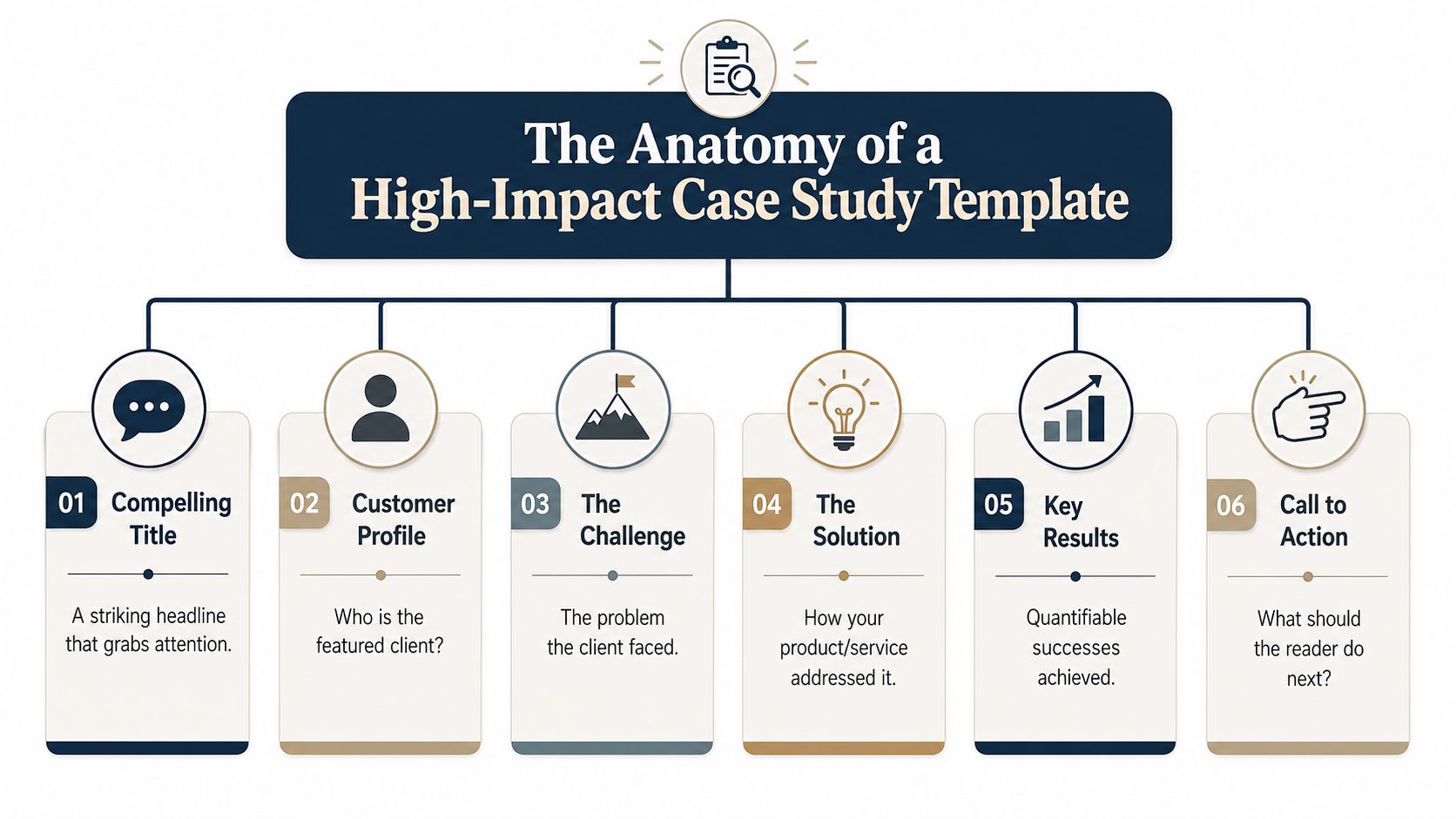
Compelling headline
Lead with the outcome and the customer context. Don’t lead with your product name.
Prompt: [Customer type] improved [business outcome] by solving [specific problem].
Example: Enterprise finance team cut manual reconciliation work after replacing spreadsheet handoffs between CRM and billing operations.
What works:
- Specific business pain: “manual reconciliation” is stronger than “workflow inefficiency.”
- Recognizable owner: “enterprise finance team” tells the reader who cared.
- Implied before-and-after: the reader can already picture the change.
What doesn’t work:
- Generic praise: “How a fast-growing company transformed operations”
- Vendor-first framing: “How Our Platform Delivered Innovation”
- Empty superlatives: “A game-changing success story”
Three-sentence executive summary
This is the rep’s best friend. If the buyer reads nothing else, this part should still carry the story.
Prompt: [Customer] needed to [goal] but was blocked by [problem]. They implemented [solution] across [team/process]. The result was [measurable outcome] plus [secondary business benefit].
Example: A multi-region SaaS company needed cleaner handoff between sales and finance but was blocked by duplicate records, manual exports, and delayed approvals. The team implemented automated syncing, standardized approval paths, and shared dashboards across RevOps and accounting. The result was faster internal reconciliation, fewer manual checks, and clearer visibility for leadership.
Practical rule: If the executive summary reads like a brand paragraph, rewrite it until an AE could say it naturally on a call.
A good summary is verbal. You should be able to drop it into an email or use it as the opening talk track on slide one.
Later in the asset, show the mechanics. Here, earn attention.
This walkthrough is a useful companion if your team wants a visual example of structure in practice.
Customer profile
The buyer needs enough context to know whether the story is relevant. They don’t need a corporate history.
Include:
- Industry and business model: B2B SaaS, manufacturing, fintech, healthcare technology
- Operational shape: regional, multi-site, enterprise, channel-led, direct sales
- Team involved: RevOps, finance, sales engineering, support, marketing ops
- Buying trigger: growth, system sprawl, reporting gaps, launch pressure, compliance review
Example: The customer is a mid-market B2B SaaS company selling to enterprise IT teams. Operations spanned CRM, billing, support, and implementation tools. RevOps owned the project, with finance and sales managers involved in approval and reporting requirements.
This section should help a reader say, “that looks enough like us.”
The problem and challenge
Often, teams become vague here. Don’t describe the situation as “inefficient” and move on. Show the friction in operational terms.
Prompt: Before the project, [team] was relying on [old process/tool]. That created [specific operational issue], which led to [sales, service, reporting, or revenue consequence].
Example: Before the rollout, the customer relied on manual exports between Salesforce and their financial system. Reps updated records in one place, finance checked another, and managers reconciled conflicting versions in spreadsheets. That created approval delays, inconsistent reporting, and buyer-facing lag when pricing or contract updates changed late in the cycle.
A useful challenge section usually includes three layers:
- The workflow problem
- The business consequence
- Why the status quo was no longer acceptable
The solution and implementation
Now show what changed. Buyers want enough implementation detail to believe the result.
Prompt: The team deployed [solution] in [scope]. They started with [first move], then added [process or integration], and supported adoption through [training/governance/change management].
Example: The team rolled out a shared workflow across CRM, approvals, and reporting. They began by standardizing field definitions, then connected approval steps to the sales process, and finally introduced dashboards for managers and finance reviewers. Sales ops documented the new process, while team leads reinforced usage in weekly pipeline reviews.
Good implementation writing answers practical objections:
- Who owned rollout
- What changed first
- Which teams were involved
- How adoption was reinforced
Bad implementation writing sounds magical. “They used our platform and everything improved” doesn’t survive procurement, security review, or executive scrutiny.
The quantifiable results
The case study earns the right to be shared. If you have approved numbers, use them. If you don’t, be precise without inventing certainty.
Prompt with approved metrics: Within [timeframe], [customer] achieved [metric], compared with [baseline]. The team also saw [secondary outcome].
Prompt without approved metrics: After rollout, [team] reduced manual steps, improved reporting consistency, and shortened the path from internal review to customer-facing action.
Example with qualitative framing: After rollout, the customer replaced spreadsheet-based reconciliation with a shared operating view. Managers spent less time checking versions, finance had a cleaner approval trail, and reps had stronger confidence in what they were sending to buyers.
End this section with a direct CTA inside the case study itself:
- Good CTA: Talk to a solutions consultant about mapping this workflow in your environment.
- Weak CTA: Contact us to learn more.
The best CTA matches the stage of the buyer. Late-stage prospects want relevance, not a generic “book now” button.
Gathering Credible Data and Customer Proof
The difference between a persuasive case study and a risky one usually comes down to evidence discipline. Teams often have the raw proof. They just don’t gather it in a way that stands up to buyer scrutiny.
It matters more than ever because buyers have grown skeptical of unsupported content. Demand Gen Report’s research finds B2B buyers now crave concise, research-based content and weigh the credibility of the source before they trust a claim. A case study that shows where its numbers came from clears that bar; one that asserts outcomes without provenance doesn’t.
Where the evidence should come from
Start with systems that already capture operational truth.
- CRM data: Pull stage progression notes, activity history, handoff timing, renewal context, and account-level before-and-after process changes.
- Product usage analytics: Use login trends, feature adoption patterns, workflow completion events, or support-related behavioral shifts.
- Customer interviews: Ask the operator, not just the executive sponsor. The VP may approve the quote, but the systems manager usually knows what changed.
- CSM and implementation notes: These often reveal rollout obstacles, adoption friction, and the practical workarounds that made the deployment successful.
Don’t mix all of this into one blob of “customer success.” Tag what came from where. If a result came from CRM exports, say so in your working notes. If a quote came from an interview, preserve the wording and approval status.
The fastest way to lose trust is to present a conclusion without showing where the conclusion came from.
How to show your work without writing a research paper
You don’t need an academic appendix. You do need basic transparency.
A credible case study template should implicitly answer four questions:
| Check | What to include |
|---|---|
| Research design | Whether this is one customer story or a comparison across multiple customers |
| Data sources | CRM records, interview notes, usage logs, implementation documents |
| Analysis method | Before-and-after comparison, workflow review, thematic coding of interviews |
| Limitations | Timeframe, approval constraints, incomplete data, or selection bias |
A short line can do the job: “Results are based on approved CRM records, customer interviews, and implementation notes collected during the rollout period.”
That sentence does more work than two paragraphs of marketing language.
If your team can’t validate a number, don’t force one in. Use qualitative proof instead. A precise operational description is stronger than an invented metric. Buyers can tell when a result is real because the details line up with how teams work.
From Static Slides to an Interactive Encelade Deck
The old case study template assumes a document. Modern deal cycles need a working environment.
Most online advice still treats the output as a PDF or a slide attachment. That’s out of step with how buyers review technical products today. Interactive formats measurably outperform passive ones: in Demand Metric’s research, interactive content converted “moderately” or “very well” 70% of the time, versus just 36% for passive content — yet very few template guides explain how to turn that interactivity into a coherent case study structure.
What breaks in a static file
A static PDF can still work for archival use, legal review, or a simple one-pager. It breaks down when the case study needs to stay current or adapt to a live deal.
Common issues:
- Version drift: Sales sends one file, marketing updates another, and nobody knows which is current.
- Passive proof: A screenshot of a chart can’t answer follow-up questions.
- No interaction: A product workflow is described in paragraphs when it should be demonstrated.
- Weak reuse: Reps duplicate decks and manually swap logos, text blocks, and screenshots for each account.
A static case study also limits how you present technical products. If the story depends on a dashboard, workflow, map, or hardware interaction, screenshots flatten the part the buyer needs to understand.
What changes in a web-native deck
A web-native case study fixes those constraints by turning the asset into something the buyer can inspect, not just read.
Use these substitutions:
- Replace a static chart with live data: Connect a chart to a Google Sheet or API-fed source so approved numbers stay current.
- Replace screenshots with embedded product walkthroughs: Let the buyer move through the workflow instead of interpreting annotated images.
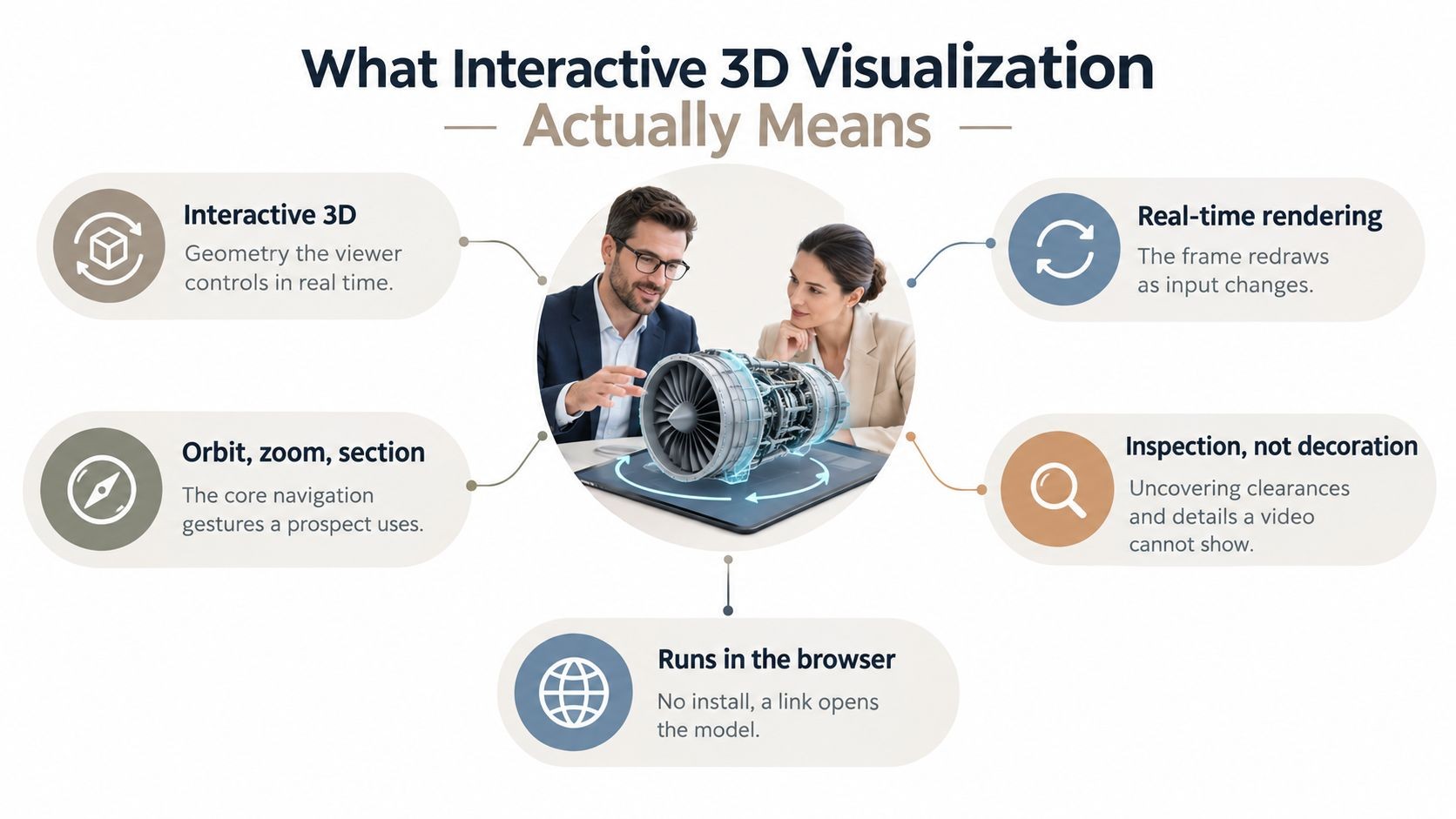
- Replace hardware stills with native 3D: If you sell devices, infrastructure, or spatial products, let the reader rotate and inspect the model in-browser.
- Replace one generic version with modular content blocks: Swap industry examples, terminology, or proof sections based on account context.
This is also where interaction design matters. If you want ideas that go beyond click-next slides, this guide on presentation interaction ideas for modern decks is worth reviewing.
Here’s the practical comparison:
| Feature | Static Case Study (PDF/PPTX) | Interactive Case Study (Encelade) |
|---|---|---|
| Version control | Multiple files circulate | One shared link acts as the current version |
| Data freshness | Numbers age quickly | Live connections can keep approved data current |
| Product explanation | Relies on screenshots and text | Can embed widgets, walkthroughs, and native 3D |
| Buyer experience | Passive reading | Active exploration |
| Personalization | Manual duplication and editing | Modular sections support tailored variants |
| Follow-up value | Rep guesses what mattered | Shared experience makes it easier to align next steps |
The best use case isn’t replacing every PDF overnight. It’s upgrading the case studies attached to live opportunities first. Start with one flagship customer story and convert the parts buyers usually ask about: proof, workflow, and implementation.
Distributing and Measuring Your Case Study
A strong case study can still underperform if the delivery method is wrong. Email attachments create friction before the buyer even opens the file. They also hide the one thing a rep needs after sending it, which is buyer behavior.
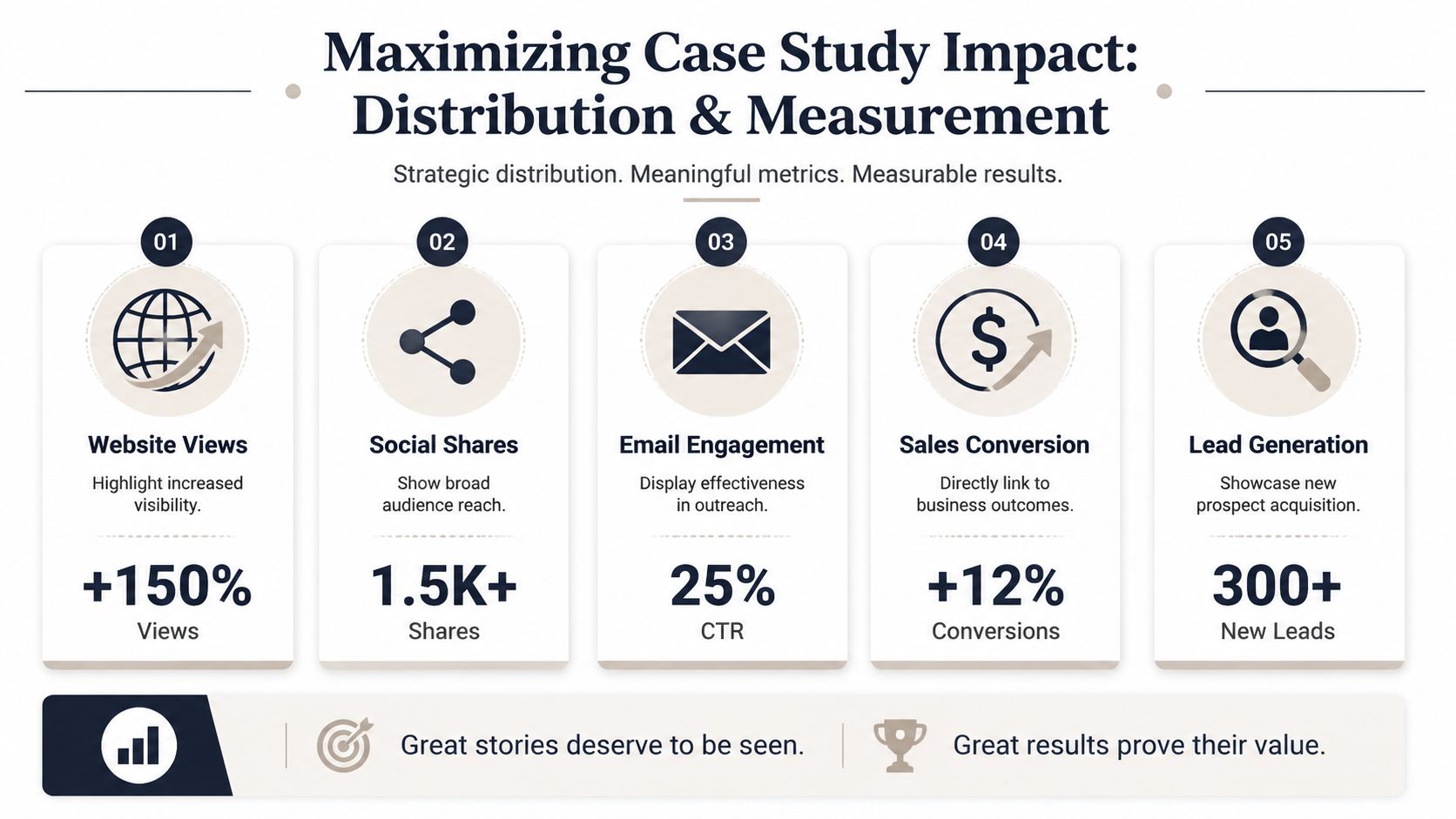
A shared link does something an email attachment can’t: it reveals how the buyer actually engaged. As Highspot notes, the time a prospect spends inside a deck — lingering on pricing, proof, security, or implementation — says far more than a simple open, and that visibility is exactly what reps lose when they send a static file.
Distribution that supports the deal
Link-based sharing solves several practical problems at once. It removes download friction, reduces version confusion, and gives the rep one URL to reuse in email, follow-ups, mutual action plans, and proposal threads.
A case study should be distributed in the context of a sales motion, not just as “content.” Pair it with a short setup line:
- After discovery: “This customer had a similar approval bottleneck.”
- Before technical validation: “Pay attention to the implementation sequence and stakeholder handoffs.”
- Before proposal review: “The results section maps closely to the workflow you described.”
If your team is also tightening proposal structure, this walkthrough on how to structure a proposal for buyer review complements the case study workflow well.
Metrics that tell reps what to do next
The value of analytics isn’t the dashboard. It’s the follow-up.
If a prospect spent most of their time on the implementation section, the rep should assume rollout risk is top of mind. If they stayed on the results slide, the next conversation should focus on proof, baseline, and internal justification. If they skipped the opening context and went straight to product visuals, they may already understand the problem and want solution fit.
A useful follow-up starts with what the buyer looked at, not what the rep hoped they cared about.
For enablement leaders, this also helps content governance. You can see which case studies get reused, which sections buyers ignore, and where the story loses momentum. That feedback loop is what turns a case study template from a one-time writing exercise into a repeatable sales asset.
The Future Is Programmatic and Personalized
The next step isn’t writing more case studies by hand. It’s building them as reusable systems.
For larger revenue teams, the pressure is obvious. AEs need account-specific proof. Marketing needs governance. RevOps needs consistency. Sales engineers need technical detail. And there isn’t much slack to absorb the work: Salesforce’s State of Sales research found reps spend less than 30% of their time actually selling, with the rest lost to admin, manual data entry, and one-off content assembly. Building account-specific proof through one-off slide assembly is exactly the kind of work that doesn’t scale.

Why modular case study templates matter now
A modern case study template should be built in blocks:
- Fixed blocks: headline pattern, customer profile, challenge structure, methodology note, CTA
- Variable blocks: industry language, approved proof points, implementation details, product visuals
- Governed blocks: brand styling, legal copy, approved claims, localized phrasing
That model makes the template usable by humans and by systems. It also reduces a common failure mode in enterprise teams, where every region rewrites the same story differently and introduces risk.
What a programmatic workflow looks like
In a mature workflow, a rep or system selects the account, industry, approved customer story, and relevant proof set. The deck is generated with the right branding, the right terminology, and the right visual modules. A solutions consultant can still refine the narrative, but they’re editing a strong draft instead of starting from a blank slide.
If you’re thinking about that workflow from an automation angle, this example of how teams generate presentations from AI agent output shows where programmatic deck creation is heading.
The core lesson is simple. A case study template isn’t just a writing aid anymore. It’s a sales system. The teams that treat it that way will move faster, personalize better, and make proof easier for buyers to trust.
If your team is still building customer stories in static files, Encelade gives you a better path. You can turn research, CRM notes, spreadsheets, and approved customer proof into interactive, web-native decks with live data, 3D visuals, branding controls, and shareable links your reps can use in active deals.