Sales teams using AI tools save an average of 4.8 hours per seller every week, yet 72% of sales organizations report low reinvestment of that time into higher-value selling activities. Teams that do reinvest it are 2.2 times more likely to exceed customer growth goals and 3.1 times more likely to exceed lead-to-opportunity conversion goals, according to Gartner’s 2026 survey of sales leaders. That’s the central lesson in how to use AI in sales: the advantage doesn’t come from generating more activity. It comes from redesigning the workflow so recovered time produces better conversations, sharper proposals, and stronger pipeline decisions.
Table of Contents
- Why AI in Sales Shifted From Experiment to Everyday Workflow
- Where to Start and How to Measure Impact Before You Scale
- Putting AI to Work Across the Sales Funnel With Real Examples
- From Automation to Agentic Workflows and Live Personalized Decks
- Governance, Change Management, and Reinvesting Time Saved
- Your Next Moves for Using AI in Sales Effectively
Why AI in Sales Shifted From Experiment to Everyday Workflow
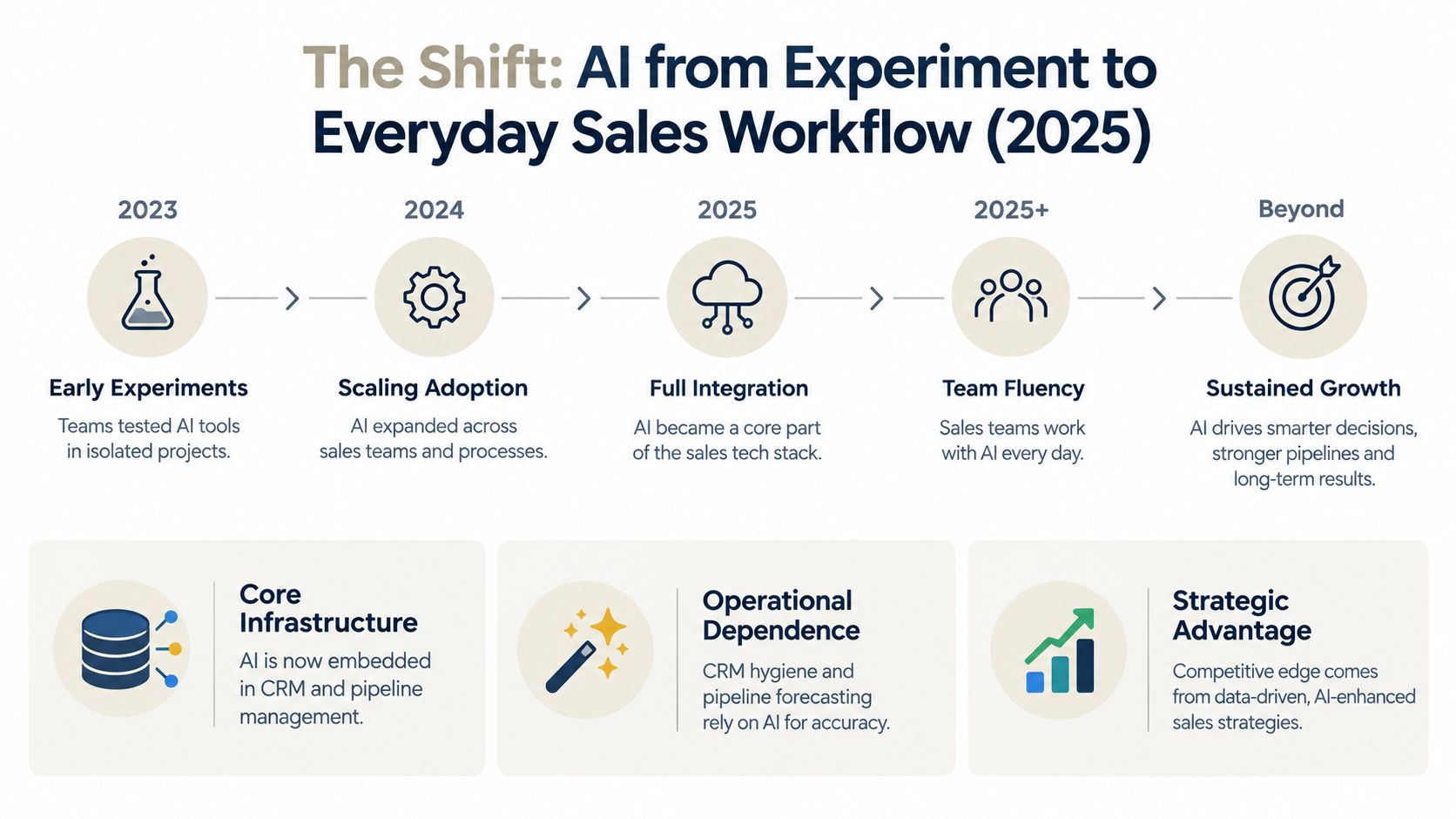
By 2025, AI had moved into the operating fabric of business. 78% of organizations used AI in at least one business function, while 65% regularly used generative AI, roughly double the prior year’s 33% figure, according to sales AI adoption data compiled by DataGrid. Sales reflected that broader shift. 81% of sales teams were experimenting with or had fully implemented AI, and 87% reported increased CRM usage because of AI integrations.
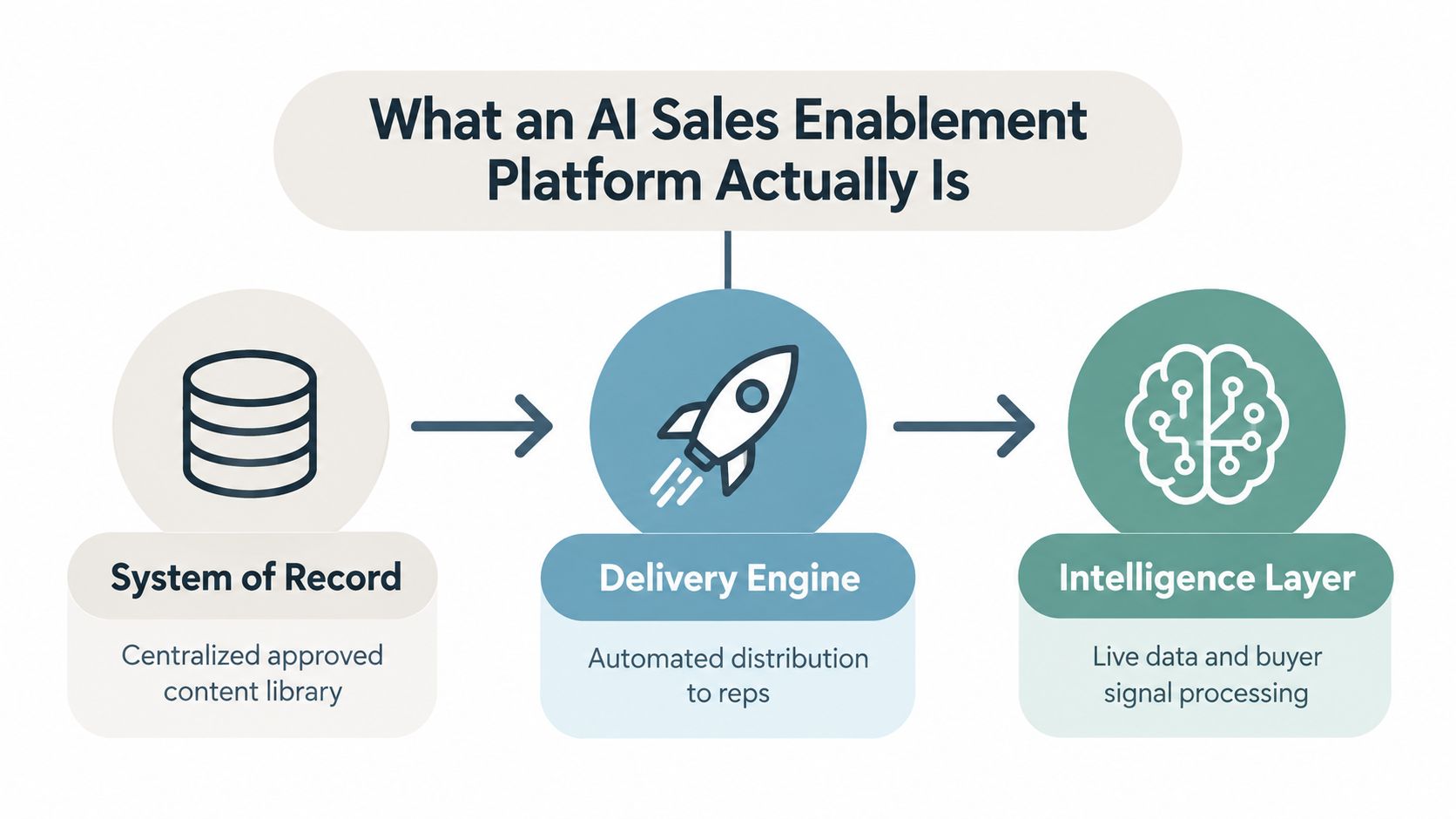
Those figures matter because CRM activity is no longer separate from selling activity. AI can capture meeting notes, suggest fields, summarize account history, identify missing information, and surface opportunities that need attention. When the system captures more structured data, managers get a clearer view of pipeline quality and reps spend less time reconstructing what happened after every call.
Adoption is now a working-style divide
The important divide isn’t between companies that own an AI subscription and companies that don’t. It’s between teams that use AI routinely inside defined processes and teams that ask individual reps to experiment whenever they have spare time.
LinkedIn’s 2025 State of Sales report found that 56% of sales professionals used AI daily, and daily users were twice as likely to exceed their targets as non-users, as reported in industry coverage of sales AI adoption. A separate ZoomInfo survey of more than 1,000 GTM professionals found that 45% of sellers used AI at least weekly, while 42% used it only a few times a year or not at all.
That split creates operational pressure. A rep who uses AI to prepare for calls, update the CRM, research accounts, and draft follow-ups can move through the same process with less administrative friction. A rep who uses it occasionally for copy generation may produce a few polished emails without improving deal execution.
Speed isn’t the same as sales effectiveness
Salesforce’s 2024 reporting found that 83% of sales teams with AI saw revenue growth, compared with 66% of teams without AI, a 17-point gap associated with adoption, drawn from its survey of 5,500 sales professionals. The result doesn’t prove that AI alone caused the difference. It does show why sales leaders now treat AI as an operational layer rather than a novelty feature.
The practical implication is simple. Don’t begin with, “Which AI tool should we buy?” Begin with, “Which sales workflow loses quality because people have to perform repetitive work manually?” That question leads to CRM hygiene, prospect research, follow-up preparation, forecasting inputs, and proposal production. A workflow automation approach for sales teams keeps the focus on the process, the handoffs, and the measurable result.
Where to Start and How to Measure Impact Before You Scale
The first AI project should be boring enough to measure. High-volume administrative work usually makes a better starting point than a complex, buyer-facing workflow because the inputs are easier to define and the human review point is clear.
Sellers spend only about 25% of their working hours on direct selling, with the rest consumed by administrative work, according to Bain figures compiled in ZoomInfo’s 2025 survey of sales teams. In that same research, 38% of sellers who use AI for research saved more than 1.5 hours per week on prospecting tasks, and among sellers who used AI at least weekly, 81% said their deal cycles got shorter, 73% reported larger average deal sizes, and 80% saw higher win rates.
1. Instrument the current workflow
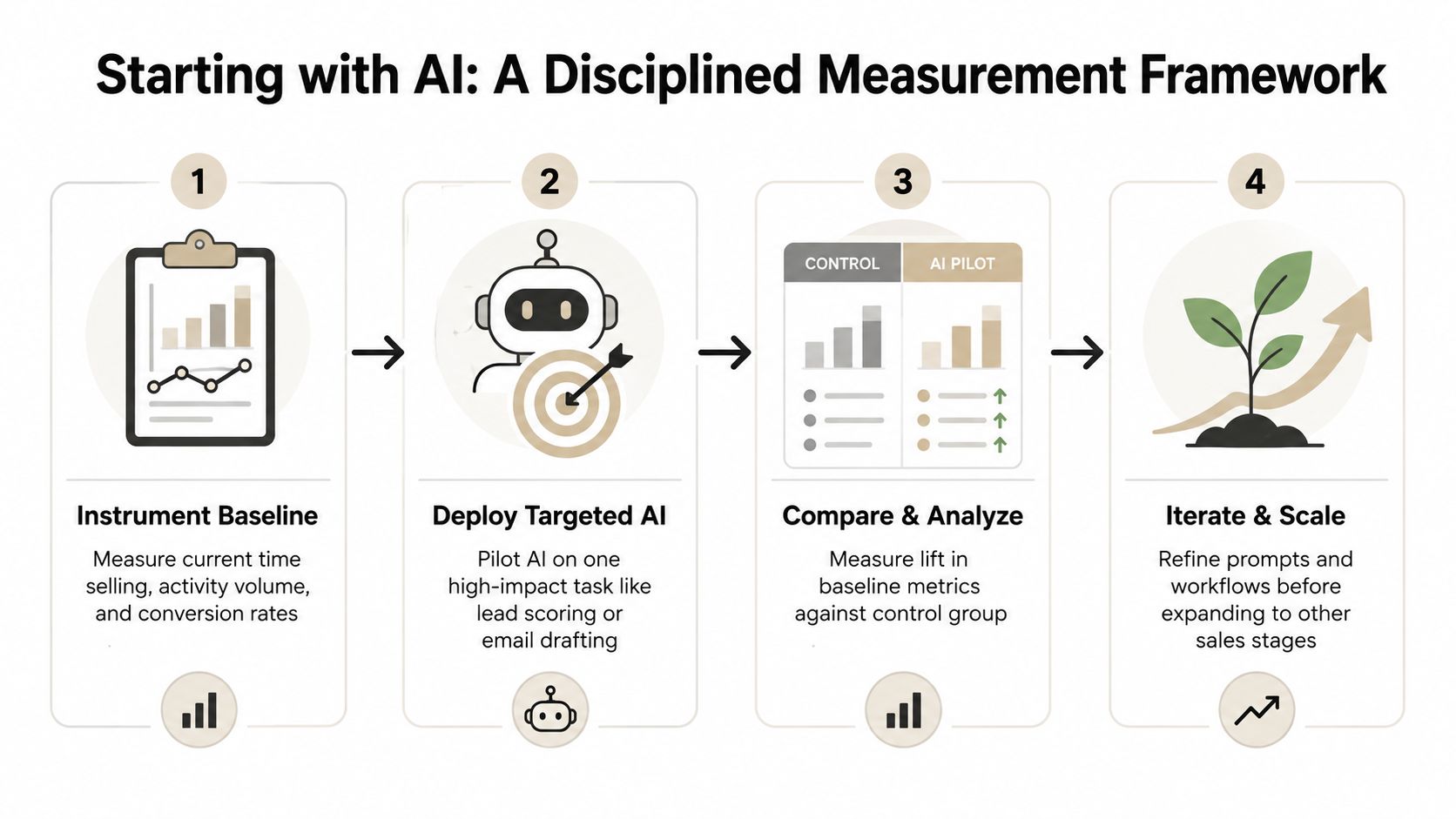
Before deployment, record how the team works today. You don’t need perfect data. You need a consistent baseline that lets you compare the old process with the AI-assisted one.
Track:
- Selling time: How much time do reps spend in calls, discovery, demos, negotiation, and other direct selling activities?
- Administrative time: How long does CRM updating, account research, meeting preparation, and follow-up drafting take?
- Activity quality: Count completed activities, but also review whether they reach the intended persona and address a relevant business problem.
- Conversion movement: Measure progression from lead to meeting, meeting to opportunity, and opportunity to closed deal.
- Pipeline outcomes: Monitor cycle length, average deal size, and win rate where the sample is large enough to be useful.
Use a small pilot group and, where possible, a comparable control group. Adoption counts alone won’t tell you whether the workflow improved.
2. Deploy AI against one repetitive task
Start with CRM updates, prospect research, or outreach drafting. These tasks occur frequently, consume attention, and can usually support a review-before-send model.
Define the input and output precisely. For example, the input might be a call transcript and an existing opportunity record. The output might be a structured summary, required CRM field suggestions, identified stakeholders, risks, and a follow-up draft. A rep should approve changes before they reach the system until accuracy is proven.
Practical rule: Automate the handoff, not the judgment. Let AI prepare the next action, while the seller decides whether it fits the account.
3. Compare behavior and revenue signals
After launch, compare the pilot against the baseline. Look for recovered selling time, complete CRM records, faster follow-up, better conversion, shorter deal cycles, larger deals, and stronger win rates. If activity rises but qualified pipeline doesn’t improve, the workflow may be producing more noise rather than more value.
Document exceptions. A prospect research agent may fail when company information is outdated. A CRM summarizer may confuse an objection with a decision. Those failures should become workflow rules, required approval points, or data-quality fixes.
4. Scale only after the process is stable
Once the pilot produces a repeatable result, expand to another stage of the funnel. Keep the original measurement definitions, then add a new workflow with its own owner, escalation path, and quality review.
A practical guide to measuring AI impact should lead to an operating habit, not a one-time report. Every workflow needs a baseline, a responsible owner, a success metric, and a decision about what happens when AI is uncertain.
Putting AI to Work Across the Sales Funnel With Real Examples
AI becomes useful when a seller can see exactly what enters the workflow, what the system does, and where human judgment remains mandatory. The following examples use that pattern across the funnel.

Prospecting and lead scoring
An SDR starts with a target-account list, CRM firmographics, previous engagement, and a defined ideal-customer profile. AI enriches the account record, identifies relevant business signals, and ranks accounts against the team’s qualification rules.
The seller still checks whether the account is relevant. The output isn’t “send this message to everyone.” It’s a prioritized queue with a reason for each recommendation, such as a matching use case, a recent business change, or an unresolved operational problem.
That distinction protects the team from false precision. A score can prioritize attention, but it shouldn’t replace account judgment or create an automatic assumption that the buyer is ready.
Account-specific personalization
For an active account, the inputs might include CRM notes, discovery-call summaries, public company information, product usage, and the stakeholders already involved. AI turns those inputs into a call brief, suggested questions, relevant proof points, and a draft follow-up.
The AE approves claims and removes anything that can’t be verified. The buyer receives a message that reflects the actual conversation rather than a generic industry template. The workflow works because the seller supplies context and owns accuracy, while AI handles synthesis and drafting.
Presentations and proposals
A common bottleneck appears after a successful discovery call. The seller has research, CRM notes, spreadsheets, and documents, but turning them into a buyer-ready deck still requires manual assembly. The delay creates version problems, stale figures, and generic slides.
With Encelade, those inputs can become an interactive, web-native presentation with live data, widgets, charts, maps, and native 3D. The sales team can share a responsive link instead of relying only on a static file, then use engagement information to understand which parts of the presentation received attention. The seller still validates the narrative, commercial claims, and next step before sending.
The same principle applies to proposal automation for revenue teams. AI should shorten the path from account insight to buyer-ready material, not remove the review that makes the material trustworthy.
A useful presentation workflow looks like this:
- Collect context: Pull the account brief, CRM notes, approved messaging, relevant spreadsheet data, and supporting documents.
- Generate a narrative: Ask AI to organize the material around the buyer’s problems, current state, proposed approach, proof, and decision path.
- Review the claims: The AE or sales engineer verifies figures, product capabilities, customer references, and commercial terms.
- Deliver interactively: Share the approved deck as a responsive link, with PDF or PPTX export available when the buyer requires an offline format.
The last mile matters because a polished draft sitting in a private workspace hasn’t influenced a deal yet.
The workflow becomes more valuable when routine follow-ups also connect to the opportunity record. After a meeting, AI can summarize decisions, propose tasks, draft the recap, and flag missing commitments. A seller reviews the output, edits the tone, assigns owners, and sends the message while the conversation is still active.
The buyer-facing result should feel timely and specific. The internal result should be a cleaner opportunity record, clearer ownership, and fewer forgotten next steps.
From Automation to Agentic Workflows and Live Personalized Decks
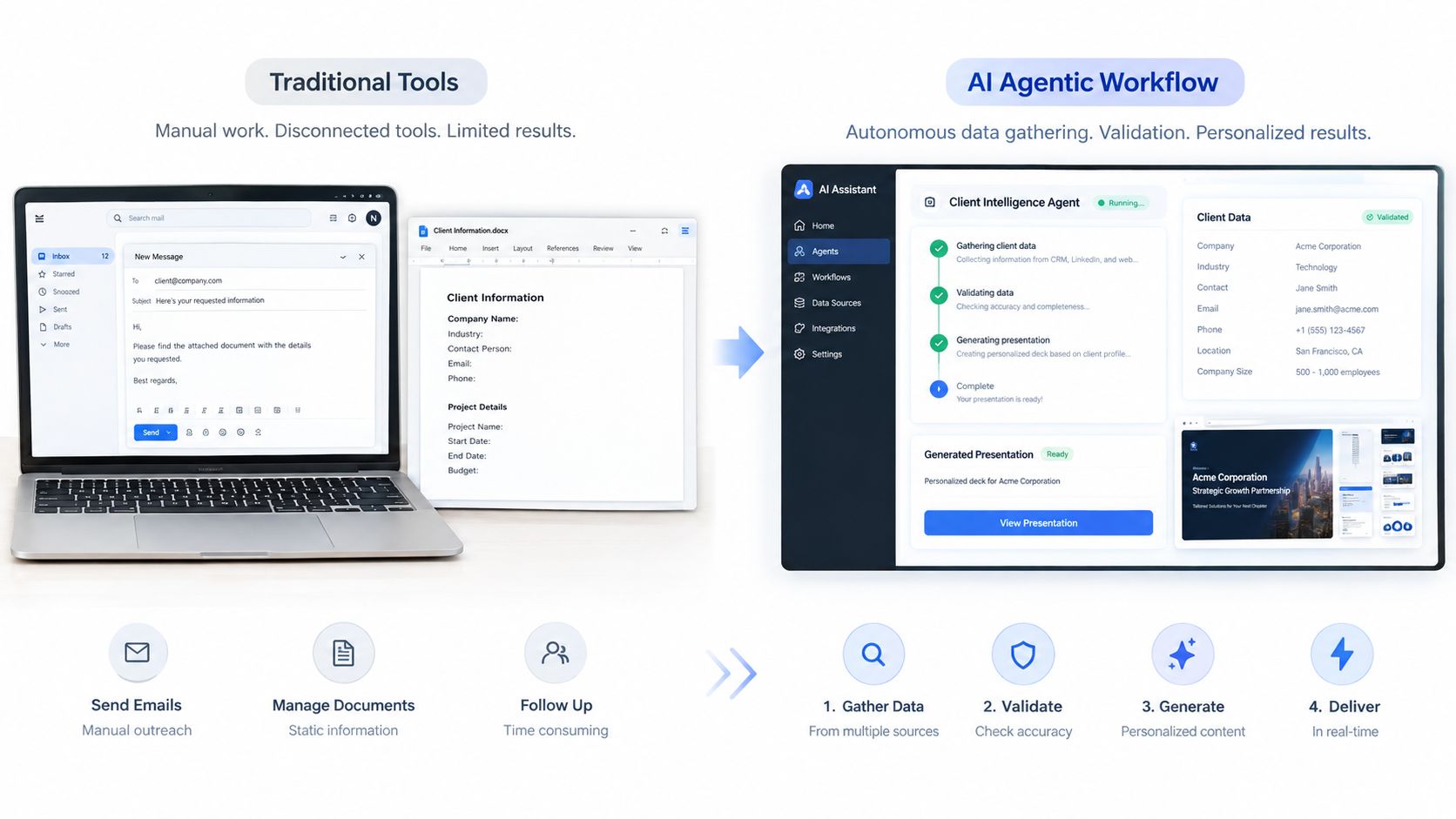
Basic automation follows a fixed instruction. It might create a task when a meeting ends, copy a field into a template, or draft an email from a predefined prompt. That’s useful, but it breaks when the workflow requires research, judgment, multiple systems, and a final deliverable.
An agentic workflow handles a sequence inside a defined process. It can gather approved inputs, inspect the account context, select a permitted action, generate an artifact, request human approval, and update the relevant system. The difference isn’t that the agent is more impressive. The difference is that the workflow gives it a controlled path to follow.
A practical architecture for agent-driven decks
A revenue team can connect an agent to a presentation system through an API or MCP tools. The trigger might be a qualified opportunity, a completed discovery stage, a pricing request, or a request from an AE.
The agent receives structured context, such as:
- Account inputs: CRM notes, stakeholder roles, opportunity stage, and approved research.
- Data inputs: Google Sheets or REST API connections containing current metrics, pricing inputs, or operational benchmarks.
- Presentation rules: Brand theme, permitted layouts, required sections, and content approval requirements.
- Delivery rules: Whether to create a private draft, request review, or publish a shareable link.
The Presentation API and MCP tools can support programmatic or agent-generated deck creation. A sales engineer can then inspect the draft, correct the narrative, and approve publication without manually rebuilding every slide.
Live data changes the operating model
Static presentations become stale as soon as the underlying numbers change. Live connections to Google Sheets and REST APIs let a deck reflect updated data without requiring someone to refresh every figure manually.
That capability has a trade-off. A live deck needs clear ownership for the source data, permissions that prevent accidental edits, and a defined point at which the seller freezes or approves the content for a buyer conversation. Live doesn’t mean unsupervised.
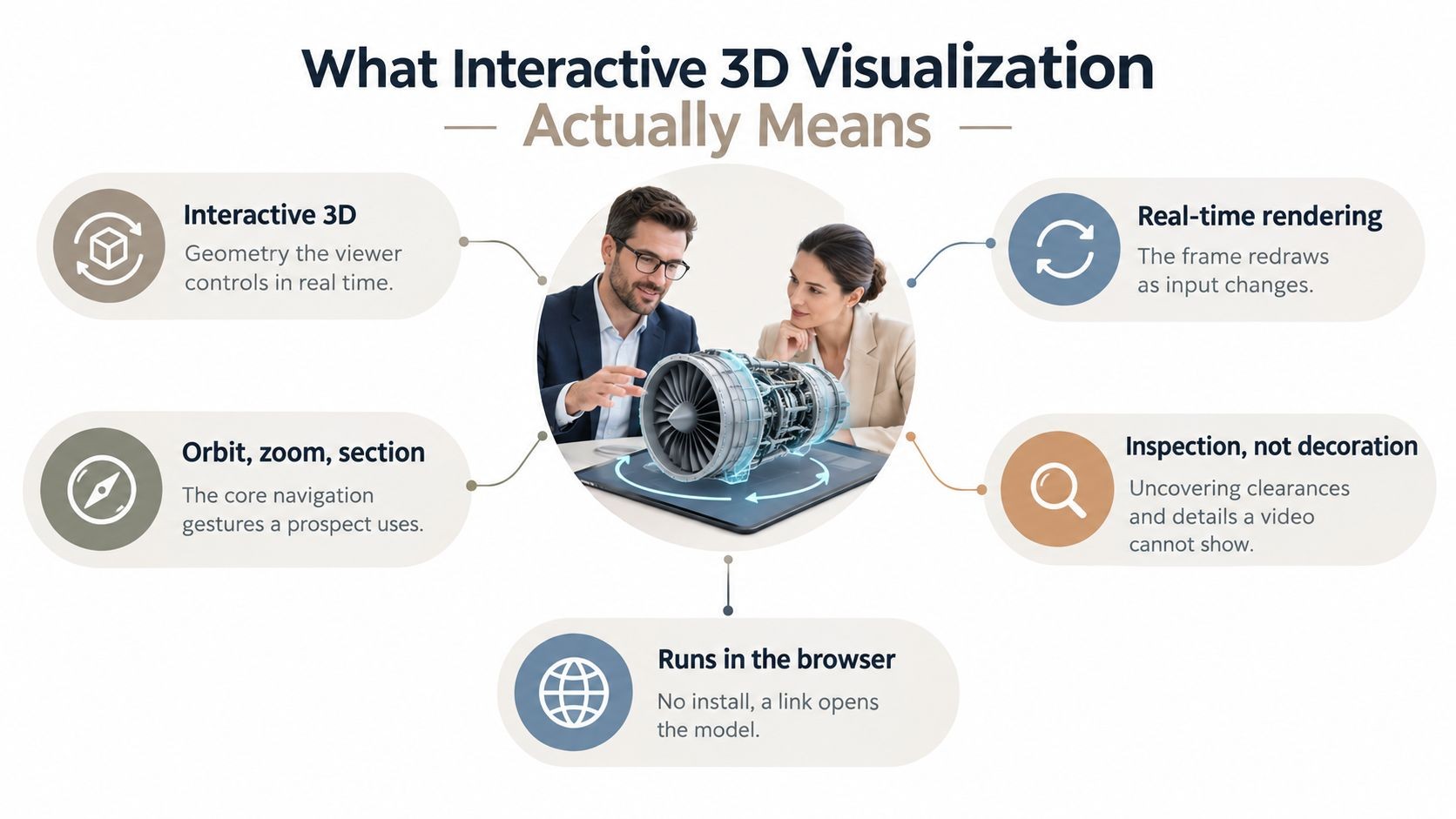
Interactive widgets, maps, charts, device mockups, and native 3D can also make a product story easier to explore. Spline scenes and .glb or .gltf models can support interactive demonstrations in the browser. Use those elements when they clarify the buyer’s decision, not as decoration added because the technology is available.
Brand control and delivery
One-prompt bulk restyling can apply color, typography, and layout changes across a deck, while themes and custom branding provide repeatable controls. That helps revenue teams maintain consistency when several people generate materials.
Link-based delivery creates a single presentation source and supports mobile-responsive layouts. PDF and PPTX exports still matter for archives, procurement, and offline review, so an effective workflow supports both formats rather than forcing every buyer into one channel.
Governance, Change Management, and Reinvesting Time Saved
Many teams don’t fail because the model can’t draft an email. They fail because nobody defines what happens after the draft appears.
In a 2026 U.S. revenue benchmark survey of 500 sales and revenue decision-makers, only 20.6% said their AI strategy was production-ready with measurable outcomes, while 28.2% were still experimenting, according to Salesloft’s 2026 revenue benchmark report. The gap points to an operating problem. Teams often have scattered tools, inconsistent data capture, unclear ownership, and no reliable way to connect AI activity to revenue outcomes.
Define the control points
A governance policy should answer practical questions before rollout:
- Drafting: Which emails, summaries, decks, and recommendations can AI prepare?
- Approval: Which outputs require AE, sales engineer, manager, legal, or finance approval?
- CRM data: Which fields are mandatory, and which fields can AI suggest but not write?
- Brand safety: Which themes, claims, customer references, and product statements are approved?
- Permissions: Which users, agents, workspaces, and integrations can access account information?
- Security: Does the deployment need roles, SSO, SAML, auditability, or tenant separation?
- Escalation: What does the system do when information is missing, contradictory, or low confidence?
Without those decisions, every rep creates a private version of the sales process. The result is faster drafting but weaker consistency.
Reinvest recovered time deliberately
The Gartner benchmark shows the reinvestment issue clearly. Sales teams save time, but many don’t redirect it into buyer-facing work. A manager should assign the recovered capacity rather than assume reps will find the right use for it.
Reinvestment can mean deeper account research, multi-threading, executive alignment, discovery preparation, mutual action plans, or faster follow-up on high-intent opportunities. The choice should match the bottleneck identified in the baseline.
The output of automation shouldn’t be an emptier calendar. It should be more time spent on decisions buyers can’t delegate to software.
Leadership support also affects adoption. A 2025 study in the Journal of Business & Industrial Marketing found that upper-management support increases the use of generative AI in sales and positively moderates the relationship between technology self-efficacy and that use, while GenAI improved sales-process effectiveness and administrative efficiency, according to an empirical study of GenAI in B2B sales. The practical point: managers need to model the workflow, inspect outcomes, and reward useful adoption rather than just announce a tool.
Your Next Moves for Using AI in Sales Effectively
Start with one workflow that has a clear owner, frequent repetition, and a measurable cost. CRM updates, prospect research, follow-up drafting, and presentation assembly are strong candidates because the inputs and approval points can be defined.
Use this operating checklist:
- Choose the bottleneck: Find the repetitive task that delays selling or weakens data quality.
- Capture the baseline: Measure administrative time, direct selling time, activity quality, conversion, and pipeline outcomes.
- Set the human gate: Decide what AI can draft, what it can update, and what a seller must approve.
- Pilot narrowly: Use a small group, a defined workflow, and a comparable baseline.
- Reinvest the gain: Assign recovered time to account strategy, discovery, stakeholder mapping, or buyer follow-up.
- Scale by evidence: Expand only when the workflow produces consistent quality and a visible pipeline signal.
You’re ready to scale when reps use the workflow without workarounds, CRM records become more complete, managers can inspect the process, and the output improves a revenue metric rather than only increasing activity. Speed without redesign creates faster low-quality activity. A governed workflow turns speed into better execution.
Encelade helps revenue teams turn research, CRM notes, spreadsheets, and documents into interactive, web-native presentations with live data, widgets, native 3D, and agent-driven generation through its Presentation API and MCP tools. Start with one measurable proposal or account-narrative workflow, then visit Encelade to build and share the buyer-ready output.