With 48 hours to go, the war room is at capacity. Three partners are hashing out language, a solutions architect is rebuilding an integration diagram, and the proposal lead is trying to turn a 90-page RFP into a deck that five evaluators — none of whom have met the team — can understand quickly. Polished slides count for little if a buyer can’t find the answer to a scored requirement.
A strong RFP response presentation is really an evaluator-reading experience. It has to carry the committee scoring the written response, the executive skimming slides before a shortlist meeting, and the procurement team that comes back weeks later to rebuild a comparison matrix. The standard is simple: every important claim should be easy to locate, easy to verify, and easy to tie back to the buyer’s criteria.

Table of Contents
- What an RFP Response Presentation Is Really Doing
- Why Most RFP Decks Lose Before Slide One
- Aligning the Deck to Evaluation Criteria
- The Slide-by-Slide Structure That Earns Attention
- Building Proof With Live Data and Comparison Tables
- Branding, Version Control, and Governance Habits
- Rehearsal, Delivery, and Post-Submit Analytics
What an RFP Response Presentation Is Really Doing
A reviewer opens the submitted deck between meetings, scans the agenda, jumps to a scored requirement, and comes back later with a technical question. The RFP response presentation has to work in every one of those moments. The written response establishes eligibility, technical coverage, and commercial intent; the presentation validates the proposal, clears up the hard points, and shows the delivery team can keep its promises.
The deck serves two readers with different priorities. The evaluation committee is checking whether each answer matches the stated requirements and whether the supporting evidence is enough. The executive sponsor usually wants a direct path to three decisions: do you understand the problem, can you deliver, and is the commercial route credible?
Design for three reading modes
Build the presentation for three modes of review:
- Scoring alignment: A reviewer scans headings, requirement references, and summary boxes to confirm coverage.
- Evidence verification: A technical, legal, or procurement reviewer examines diagrams, assumptions, proof, pricing, and delivery details.
- Reference reading: Someone returns later to locate an answer while comparing vendors or preparing an internal recommendation.
That takes more than a persuasive story. It takes retrieval points. Criterion-led slide titles show which requirement is being addressed. Labeled assumptions keep commitments separate from conditions. Captions on architecture diagrams tell the evaluator what to verify. A clear owner, source, or next action also lets the team field follow-up questions without rebuilding the narrative.
Practical rule: If an evaluator cannot identify the requirement a slide addresses without hearing the presenter, the slide is incomplete for a submitted deck.
Treat the deck as an active part of the evaluation. Put the highest-weight criteria where reviewers can find them, place proof right after the claim it supports, and use branding to reinforce hierarchy rather than fill space. During the live session, notice which questions interrupt the flow. After submission, track requests for clarification, forwarded materials, and the evidence that keeps discussion going. Those signals show whether the deck is helping evaluators build confidence or making them do the interpreting themselves.
Why Most RFP Decks Lose Before Slide One
Most weak decks fail during intake, not design. Teams accept every opportunity, pull contributors into an unstructured drafting process, and then compress review into the final hours. A benchmark from Loopio’s proposal process report found that organizations respond to only 65% of the RFPs they receive, at an average win rate of 47%. The typical response pulls in 9 collaborators, a 2-day turnaround, and 23 hours of writing time — and only 46% of teams say they’re satisfied with the result.
Those figures point to workflow problems that show up before slide one. Poor opportunity fit creates unnecessary volume. Too many uncoordinated authors create inconsistent claims. A compressed review cycle leaves no time to tailor the presentation or confirm the final package matches the written response.
The deck then compounds the damage. A company history up front delays relevance, an executive summary buried behind background slides makes senior readers work, and a generic capability statement forces the buyer to translate your offering into their own requirements.
What evaluators need to find quickly
A presentation should work like a scoring instrument, not a PDF-shaped storage box. Lead with the buyer’s problem, show the response path, and attach proof to the criteria that carry the most weight. A proposal statistics analysis from Agiled reports an average win rate of 43%, and notes that proposals sent within 24 hours of an inquiry were 2x more likely to close. It also finds that personalized proposals with client-specific data closed 68% more often than template-only proposals, and that proposals with pricing on page one reached a 26% higher win rate.
None of that justifies rushing an unfinished deck. It argues for a modular process that lets the team tailor quickly without giving up review discipline. Animation, full-bleed photography, and a 60-slide narrative can impress in rehearsal, but they don’t solve retrieval. Criterion-led headers, recap boxes, and captioned evidence often look plainer while doing more to help a reviewer score the response.
| Deck Habit | Reading Mode It Serves | Typical Scoring Impact |
|---|---|---|
| Generic company history before buyer context | Skimming for scoring alignment | Delays the evidence of fit |
| Criterion-led slide headers | Skimming and reference reading | Makes requirement coverage easier to locate |
| Uncaptioned screenshots | Deep evidence verification | Forces the evaluator to infer relevance |
| Pricing buried near the end | Reference reading and procurement review | Makes commercial comparison slower |
| Dense animation and decorative imagery | Neither reliably | Consumes attention without proving compliance |
| Recap boxes tied to requirements | All three modes | Reinforces the answer and the supporting proof |
The trade-off is clear. A deck built for visual novelty may win internal applause, but a deck built for evaluator effort is the one that survives scoring, technical scrutiny, and executive review.
Aligning the Deck to Evaluation Criteria
Start with the RFP, not a slide template. Pull every mandatory, scored, and desirable criterion into a source-of-truth matrix before you assign authors. For each line item, record the buyer’s wording, its weight if given, the likely evaluator, the evidence type required, the response owner, and the slide where the answer will land.
The buyer’s metrics and constraints deserve special handling. Guidance on mastering RFP replies with structured comparison tables recommends echoing the numbers and targets named in the RFP, then showing how your approach supports them. Don’t soften a critical requirement into comfortable marketing language. Repeat the buyer’s terminology in the slide header, then explain your response underneath it.
Build a criterion-to-slide map
A useful mapping process looks like this:
- Capture the requirement: Copy the relevant language into the matrix.
- Classify the evidence: Decide whether the answer needs a case study, architecture diagram, delivery method, policy, reference, or pricing table.
- Assign the slide role: Give each major slide one dominant criterion. A slide can support related requirements, but it shouldn’t make the evaluator hunt for the primary answer.
- Name the owner: Assign one person to provide the evidence and one reviewer to validate it.
- Log the assumption: If the RFP is ambiguous, record the interpretation and show it visibly in the deck.
When criteria conflict, ask a clarification question if the ambiguity could change scope, price, compliance, or delivery. If you can’t get clarification, state the assumption on the slide and explain its effect. Hiding an interpretation can make the answer look cleaner, but it becomes a credibility problem the moment procurement compares your response with another vendor’s reading.
Match evidence to the claim
A case study belongs next to an outcome or delivery requirement, not in a generic credibility section where its relevance is anyone’s guess. An architecture diagram should label the buyer’s systems and constraints. A pricing table should show the configuration that answers the stated scope, with exclusions and assumptions easy to find.
Use the matrix to run this pre-draft checklist:
- Criteria captured: Mandatory, scored, and desirable requirements are separated.
- Weights confirmed: The team understands which answers affect scoring most.
- Slide map built: Every high-value criterion has a planned location.
- Assumption log opened: Ambiguities have owners and visible treatment.
- Evidence owners assigned: Each claim has a person responsible for verification.
This discipline pays off in the final review, too. Instead of asking whether the deck “looks complete,” reviewers can ask whether every weighted criterion has a clear answer, credible proof, and consistent treatment across the written response and the presentation.
The Slide-by-Slide Structure That Earns Attention
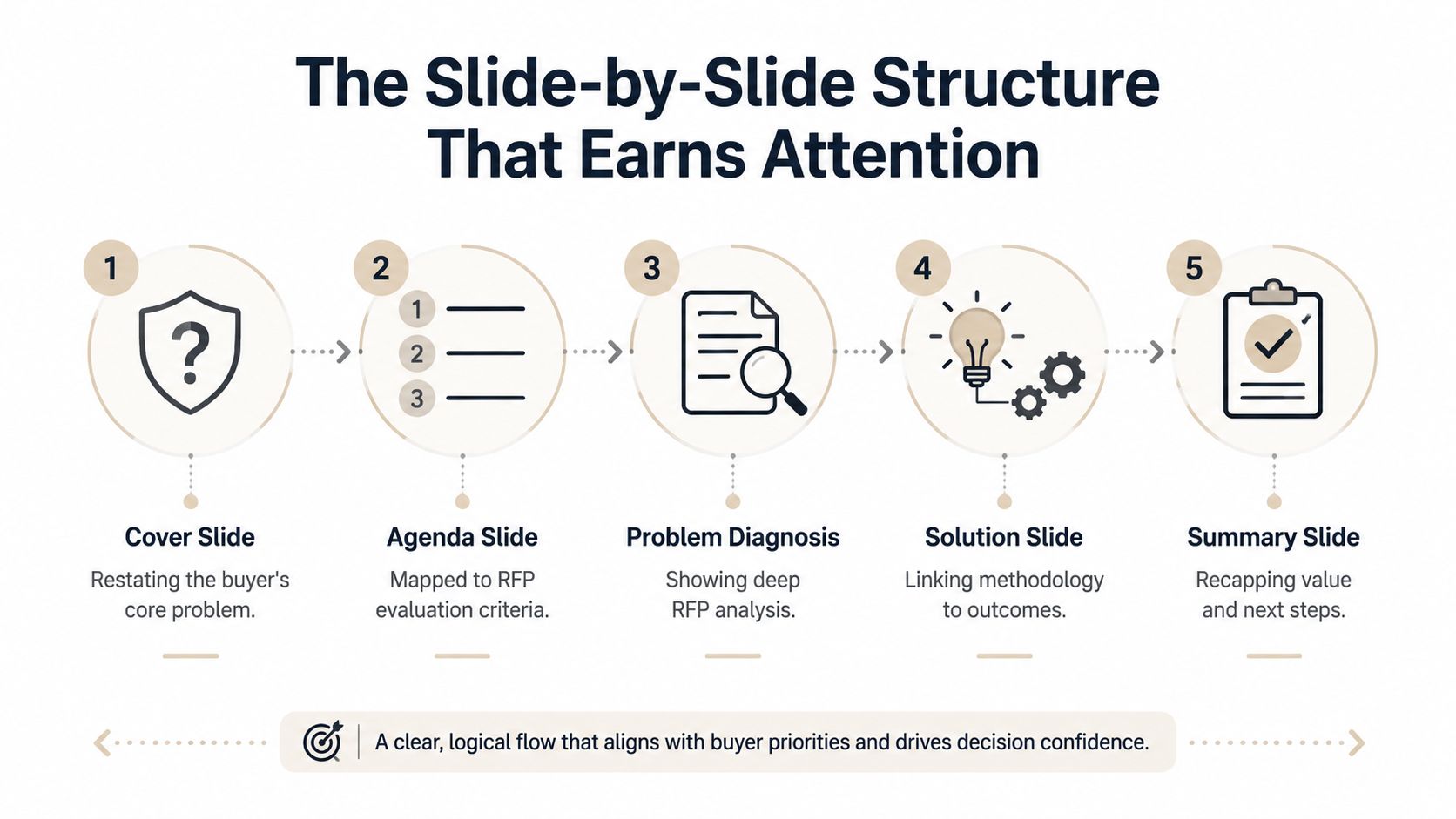
A review committee might scan the submitted deck, study it without the presenter, or work through it during a live discussion. Build for all three. Keep the main narrative compact enough to rehearse without rushing — use 20 to 30 slides as a practical range for the main deck, then trim to a focused 18 to 22 slides when the meeting needs faster decisions. Push detailed technical, legal, and commercial material into an appendix.
Put the buyer’s decision first
Use this sequence as a working blueprint:
- Cover: Restate the buyer’s core problem, not your company slogan. Say, “This proposal addresses the operating constraint you identified in the RFP.” Use one visual, such as a simple problem-to-outcome diagram.
- Agenda: Map sections to evaluation criteria. Say, “Each section below corresponds to the areas your committee will score.” Show a numbered route with criterion labels.
- Problem diagnosis: Show the systems, constraints, or workflow described in the RFP. Say, “We designed around these specific conditions, rather than a generic industry scenario.” Show a labeled current-state flow.
- Solution overview: Mirror the scope of work. Say, “This is how each workstream connects to the outcomes you requested.” Show a solution map with requirement tags.
- Delivery architecture: Explain integrations, ownership, and control points. Say, “The architecture places the highest-risk handoffs where they can be tested and governed.” Show an annotated architecture or delivery flow.
- Proof block: Introduce evidence tied to a requirement, then expand it in later slides. Say, “This proof addresses the delivery concern raised in your evaluation criteria.” Show one outcome card or reference profile.
- Pricing: Surface commercial terms early enough for procurement to compare them. Say, “This investment reflects the configuration and assumptions shown in the scope.” Show a clean pricing table.
- Implementation timeline: Name milestones, dependencies, and buyer responsibilities. Say, “These milestones show what happens after approval and what we need from your team.” Show a Gantt-style delivery view.
- Team: Map each person to a requirement or risk. Say, “These are the people accountable for the work you’re evaluating.” Show role-to-requirement cards.
- Risk and mitigation: Name credible risks and the controls around them. Say, “We’ve identified the conditions most likely to affect delivery and assigned a response to each.” Show a risk matrix.
- Close: Recap value and propose one next step. Say, “The decision is whether this approach meets the stated criteria and merits the next validation step.” Show a three-point summary and action.
For account-specific narratives that replace generic filler, review RFP response examples from Encelade. Treat every visual as review support: a comparison table, annotated diagram, or live metric should make a claim easier to verify than prose alone. Keep labels, assumptions, and source context visible so the evaluator gets the point without waiting for a presenter. After submission, watch which pages draw attention and which questions keep coming up — those signals guide your follow-up, your clarifications, and the next version of the response.
Building Proof With Live Data and Comparison Tables
Proof only earns attention when the evaluator can trace it to a requirement. Swap the decorative dashboard screenshot for a refreshed snapshot or a live link, and label every metric with the customer, segment, and date range. If the deck carries implementation commitments, pricing, or operating metrics, put someone in charge of confirming the values still match the approved response before export.
A live presentation can lean on an interactive chart or an embedded demo. A submitted deck needs a stable fallback — a dated image, a caption that explains the source, and an appendix with the supporting detail. Interactive slide guidance from Encelade helps when you’re deciding which data deserves interaction and which should stay static for reliable review.
Make comparison explicit
Don’t make the committee build the competitive comparison in its own spreadsheet. Put your approach and the next viable alternative on the same axes the RFP scores. Keep the table factual, restrained, and backed by evidence.
| Evaluation Axis | Your Solution | Top Competitor | Evidence in Deck |
|---|---|---|---|
| Latency | State the committed approach and applicable assumption | State the publicly documented or RFP-relevant alternative | Architecture diagram and test method |
| Cost per unit | Show the configured commercial basis | Show the comparable basis or mark it unavailable | Pricing table and assumptions |
| Compliance posture | Name the controls and scope that apply | Describe the comparison without unsupported claims | Compliance summary and policy reference |
| Support SLAs | State the proposed service commitment | State the comparable commitment if verified | Support model and contract notes |
Use reference logos only when they come with a relevant outcome or delivery context. A customer quote belongs beside the weighted requirement it supports, not on a standalone “trusted by” slide. Marketing filler is the undated screenshot, the unexplained metric, the logo with no relevance, and the claim you can’t reconcile with the written response.
Evidence standard: Every proof point should answer who achieved what, under which conditions, and why it matters to this buyer.
Branding, Version Control, and Governance Habits
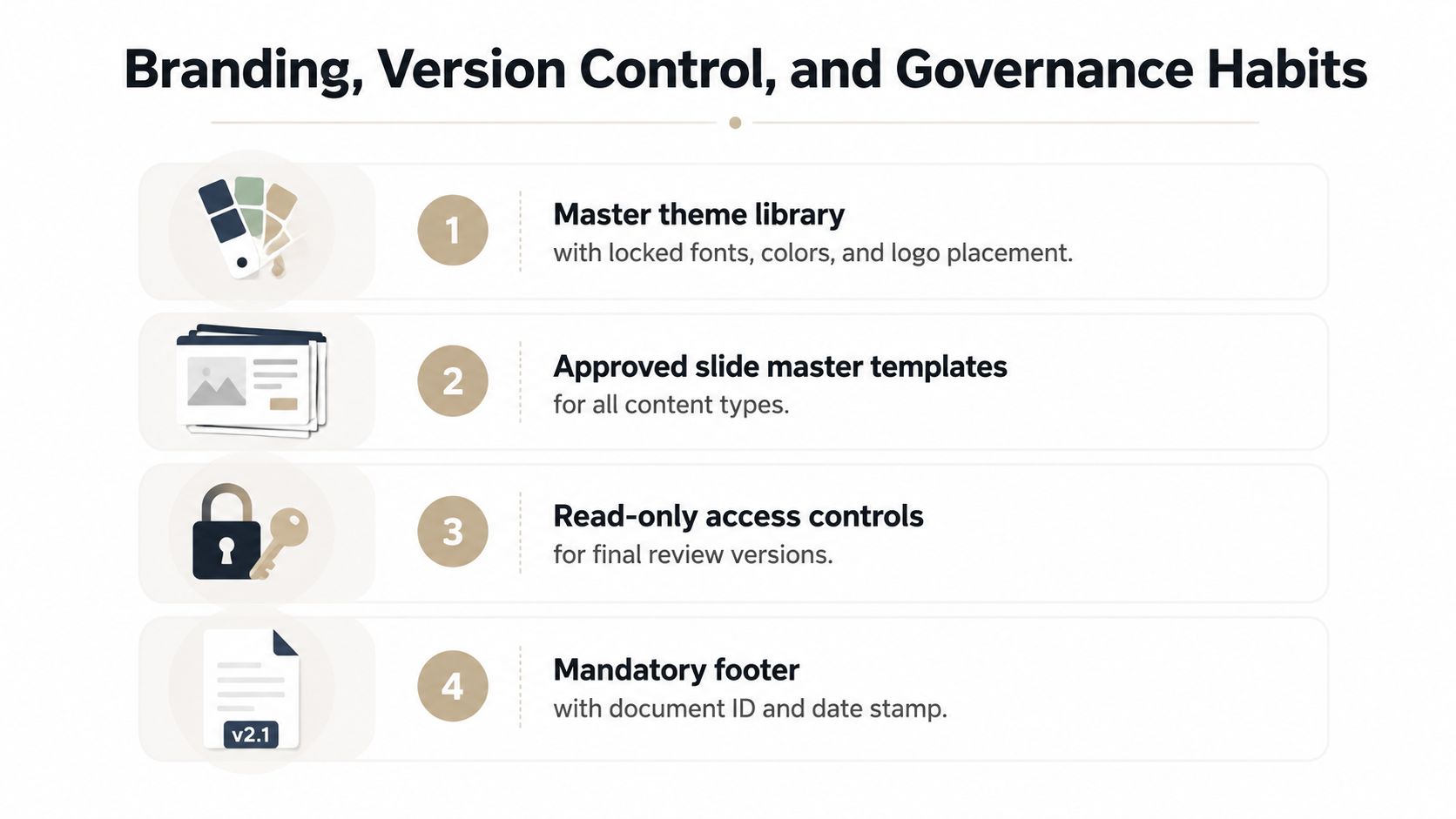
Treat the deck as a governed asset, not a personal file. Build the master theme and slide library before authors start. Lock fonts, color tokens, logo placement, footer fields, and the required RFP identifiers so contributors can focus on the buyer’s requirements instead of rebuilding formatting.
Give every change a visible owner
Use a naming convention that exposes status, author, and submission round — something like RFP-2025-ACME-v04-JT-FINAL.pptx. Keep a short change log of what changed, who changed it, and why. That mirrors the definition of bid versioning as an ordered history of drafts, including authorship, timestamps, and modifications in RFP Quest’s bid versioning guidance.
Assign four roles:
- Narrative owner: Protects the argument and buyer-specific language.
- Visual owner: Maintains diagrams, hierarchy, and theme compliance.
- Compliance owner: Checks requirements, legal language, and redlines.
- Final approver: Signs off once, before export.
A single source of truth, clear content ownership, modification dates, and revision history keep circulating drafts from turning into competing versions. The document version-control guidance from Encelade is a useful model for making those controls part of everyday production rather than a last-minute rescue.
Export the approved deck to PDF with fonts embedded, test every hyperlink, and drop the final file in a read-only folder. Once it’s approved, the submitted version should be impossible to change by accident.
Rehearsal, Delivery, and Post-Submit Analytics
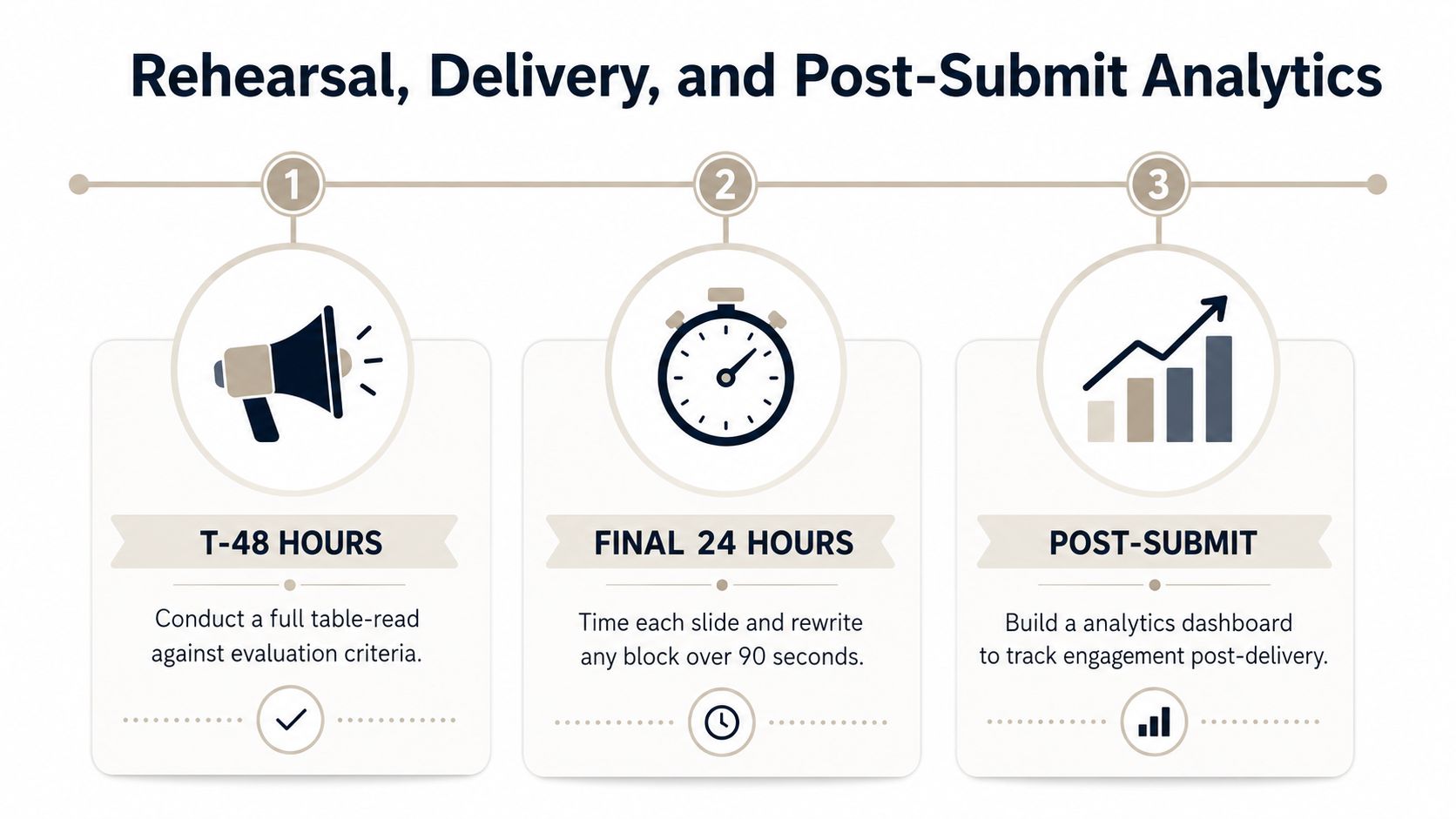
Treat the final 48 hours as a controlled release. At T-48, run a table-read against the evaluation criteria, not just a comfortable read-through. Each presenter should say which requirement the slide addresses, what evidence backs it, and what question it’s likely to trigger.
In the final 24 hours, time every slide and rewrite any block that runs past 90 seconds. These limits come from the operating method set for this workflow, not from some universal law of presenting. The point is to catch slides carrying too many ideas before the team walks into the meeting.
Run the meeting like the evaluator will
Build a delivery run-sheet: the presenter for each slide, demo handoff points, backup owners, and a fallback path if a live link breaks. During the presentation, narrate the scorecard out loud — “This slide addresses criterion 4.2.” That one sentence helps a live committee connect your claim to its rubric instead of working from memory.
After submission, choose the format based on the review behavior you need:
- Tracked PDF: Use it for formal procurement review and archival records.
- Interactive HTML deck: Use it when internal champions need to share the material and explore supporting content.
- Live walkthrough: Use it when the final panel needs clarification, discussion, or a controlled demonstration.
Engagement analytics can show time on section, scroll depth, and repeat views on pricing or contested slides — when the delivery platform supports those signals. A repeat visit doesn’t prove a buyer is persuaded, but it does tell the account team where clarification might help. Follow up with a precise answer, not a generic “checking in” message.
Post-submit discipline: Log which slides appeared in buyer questions, follow-ups, wins, and losses. The retrospective should change the next deck’s evidence plan, not just its colors.
For a practical closeout, pin this checklist beside the next response:
- Map: Every important claim has a criterion and owner.
- Prove: Evidence is current, labeled, and traceable.
- Govern: One approved version controls the submission.
- Rehearse: Presenters can connect each slide to the scorecard.
- Learn: Post-submit signals and buyer questions enter the next review cycle.
Encelade helps revenue teams turn research, CRM notes, spreadsheets, and documents into interactive, account-specific presentations with live data, shared links, and PDF or PPTX exports. For an RFP response presentation that needs both governed content and a traceable evaluator experience, visit Encelade and see whether the workflow fits your next submission.