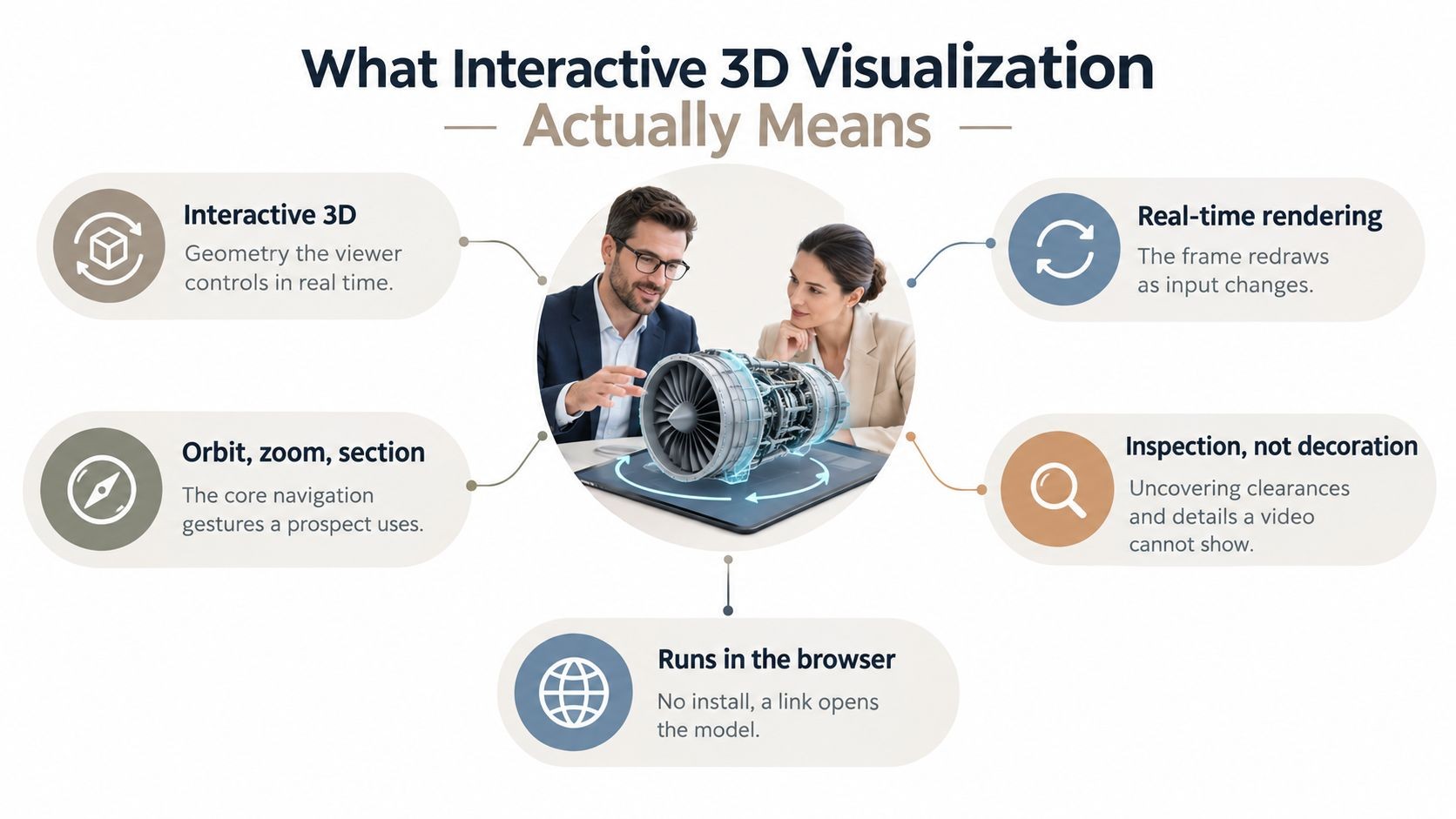
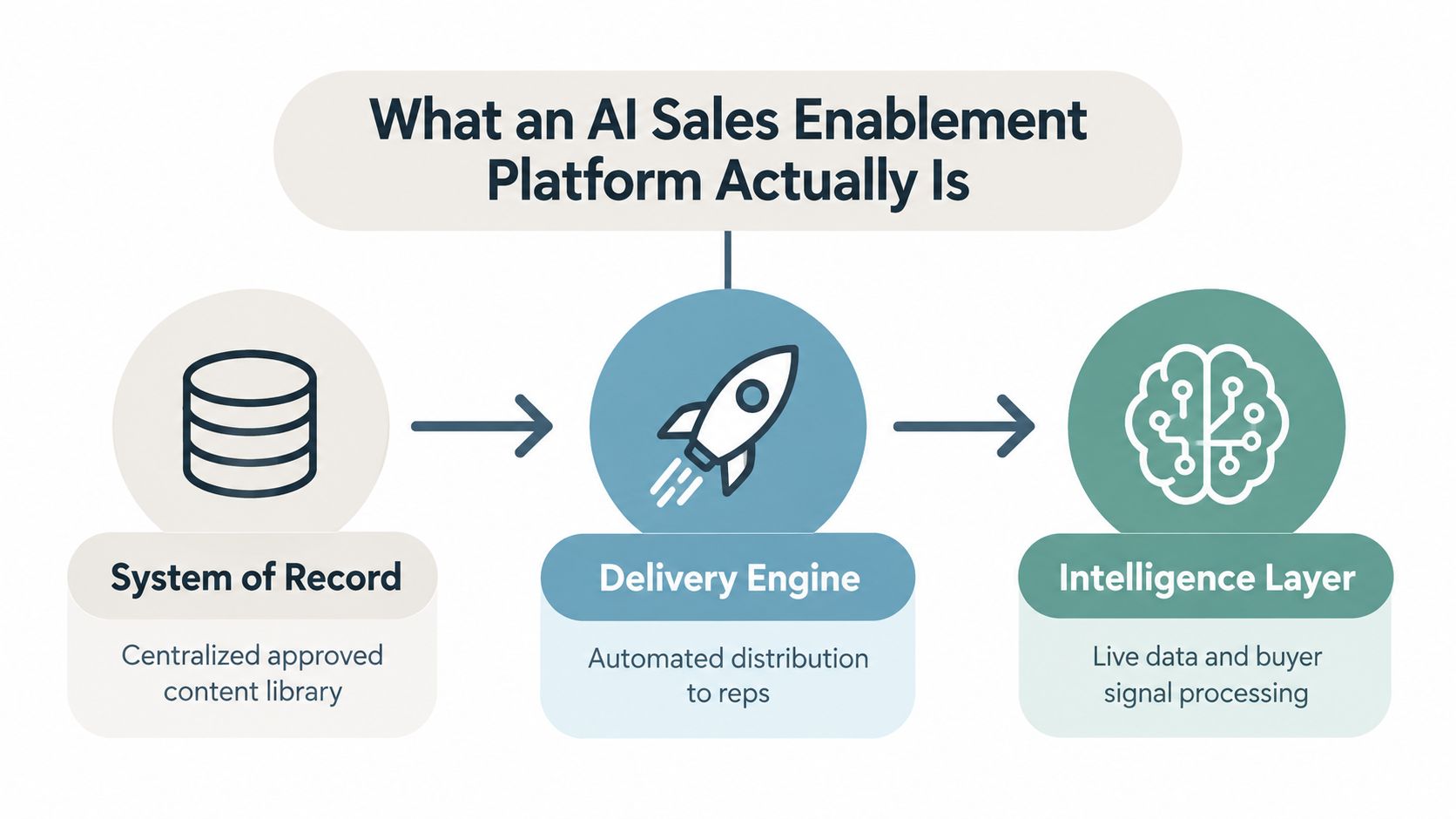
A polished 3D scene can still produce a weak sales presentation. Visual novelty doesn’t answer whether the story reflects the account, whether the metrics are current, whether the buyer can explore the right detail, or whether the revenue team can share, govern, and measure the experience after the meeting.
The strongest interactive 3D presentation software therefore combines more than models and camera controls. It should support account-specific narratives, live data, guided interaction, responsive links, embeds, APIs, governance, and engagement analytics. That distinction matters because interactive delivery can materially change participation. Engageli’s 2024 active-learning impact study — an experiment run in the vendor’s own virtual classroom — reported 62.7% participation in the active session versus 5% in a passive lecture, alongside 13 times more learner talk time and 16 times higher non-verbal engagement when polls, chat, and other interactive tools were used. That is a software vendor’s study of online learning, not sales meetings, so it doesn’t prove that every 3D demo will improve a deal — but it does support judging presentation software by what audiences do, not by how impressive the scene looks. Engageli Active Learning Impact Study
This roundup includes full presentation platforms, spatial storytelling tools, model viewers, product-visualization systems, and developer-oriented 3D toolkits. The comparison focuses on the complete revenue workflow: create the narrative, embed native 3D, keep data current, deploy through links or embeds, connect through APIs, and measure engagement.
Table of Contents
- 1. Encelade
- 2. Flow Immersive
- 3. Spline
- 4. Sketchfab
- 5. Vectary
- 6. Shapespark
- 7. Verge3D by Soft8Soft
- 8. p3d.in
- 9. Slide3D
- 10. Emersya
- Top 10 Interactive 3D Presentation Tools, Feature Comparison
- Choose the Platform That Moves the Deal Forward
1. Encelade
Encelade is the strongest fit when 3D is one part of a broader revenue presentation rather than the entire product. Its AI-driven, browser-based platform turns research, CRM notes, spreadsheets, and documents into account-specific, link-shareable presentations with interactive widgets, live data, and native 3D. That puts the narrative first. A sales team can use a model, chart, map, device mockup, code block, or Gantt view inside the same deck instead of sending the buyer across separate tools.
The platform supports native .glb and .gltf models and Spline scene embedding, with in-browser rotation and zoom. It also offers more than 50 interactive widgets, mobile-responsive layouts, one-prompt bulk restyling, themes, and custom branding on eligible plans. These capabilities address a practical problem that standard slide software leaves unresolved: the deck can reflect the account while its numbers remain connected to operational sources.
Built for live content and repeatable production
Encelade connects to Google Sheets and REST APIs, allowing connected figures to update without manually replacing screenshots or rebuilding slides. Its web-native delivery also reduces version drift. A shared URL can continue pointing to the current deck, and Encelade describes live updates from sources such as Sheets, databases, and APIs in its product overview. Database connectors are listed as coming soon, so buyers should confirm connector availability before designing a governance process around them.
The developer layer is unusually important for revenue operations and agent builders. Teams can generate presentations programmatically through the Presentation API, REST workflows, and MCP integrations, including agent workflows involving LangChain. That makes Encelade more than a visual editor. It can become a presentation generation layer for services that turn account intelligence into a customer-facing asset.
Deployment, analytics, and limits
The Free plan has no time limit and includes a monthly allowance of AI credits. Paid plans listed by Encelade include Plus at $8 per month billed annually, Pro at $20 per month billed annually, and Team at $24 per seat per month billed annually. Enterprise plans are custom, and the REST API, MCP server, and webhooks come with Pro and above. Higher plans also expand generation limits, collaboration, and branding; the pricing page lists current allowances.
Encelade tracks views and time-on-slide, giving teams a way to identify which parts of a proposal hold attention. PDF and PPTX exports support offline sharing and compliance, but exports won’t preserve the full web experience. The key buying decision is straightforward: choose Encelade when the revenue team needs live account context, native 3D, governed branding, programmatic generation, and measurable link-based delivery, not merely a place to display a model.
2. Flow Immersive
Flow Immersive is designed for teams that want to turn data into a spatial story rather than build a conventional slide deck with a 3D object placed inside it. The platform supports AI-assisted composition from natural-language prompts or uploaded data, then presents information through multi-step spatial sequences. That makes it a natural candidate for executive briefings, analytics narratives, and sales sessions where the audience needs to understand relationships across data rather than read a sequence of bullet points.
Its browser delivery is a major deployment advantage. Presenters can share experiences through links that run on desktop and mobile, with an AR pathway on supported headsets and no separate installation requirement for the viewer. Voice-controlled presentations and live meeting rooms support guided sessions, so the presenter can control the pace instead of handing the audience an unfamiliar interface.
Practical rule: Use Flow Immersive when the decision depends on exploring a spatial data relationship. Don’t choose it simply because a product needs a rotatable model.
The tradeoff is scope. Flow Immersive is focused on data stories and spatial presentation, not on being a general-purpose slide editor for every proposal format. Per-creation metering can also require planning for teams that generate experiences frequently or support many account variations. Revenue leaders should test whether the platform can carry the surrounding commercial narrative, including proof points, next steps, and reusable brand structure.
For teams comparing it with a web-native deck platform, the distinction is useful. Flow Immersive prioritizes spatial storytelling and AR-led delivery. Encelade prioritizes account-specific presentation production, live business data, widgets, native 3D, and developer automation. Buyers evaluating the wider category can also consult this guide to interactive presentation software for the workflow distinction between a presentation platform and a visual experience tool.
3. Spline
Spline is best understood as a browser-based 3D creation and collaboration environment, not a sales-deck system. Its value appears when the 3D interaction itself is the core asset. Designers can build multi-scene experiences with transitions, variables, interactions, and webhooks, then share the result through a public URL or embed it in another web experience.
That embed pipeline makes Spline useful inside web-native presentations. A sales engineer can create a product scene with controlled interaction and place it inside a broader deck, website, or proposal. Viewer APIs and code export extend the integration path for teams that need to connect the scene to a surrounding application or custom presentation shell.
Where Spline fits the revenue workflow
Spline supports collaborative editing in the browser and AI asset generation through credits on paid plans. Its enterprise direction includes SSO and self-hosting options, which matters when the 3D asset must pass internal access and deployment requirements. The workflow is also less dependent on a desktop-only authoring environment, making collaboration between designers, marketers, and technical contributors easier.
The limitation is equally important. Spline creates the interactive scene, but it doesn’t replace the account research, live business-metric layer, proposal structure, or presentation analytics a revenue team may need. Performance depends on scene complexity and the viewer’s device. Free embeds include a watermark, so a customer-facing deployment may require a paid plan.
A Spline scene can make a deck more persuasive, but it doesn’t automatically make the deck relevant.
Use Spline when a team already has a presentation platform or web property and needs a polished interactive 3D component. Use a broader platform when the team wants the same system to generate the narrative, manage live data, apply brand rules, and measure viewing behavior. Encelade’s native Spline embedding narrows that integration gap by allowing scenes to sit inside a larger interactive presentation rather than forcing buyers to assemble the entire experience themselves.
4. Sketchfab
Sketchfab is a strong choice when the job is to host, display, and guide people through 3D models online. Its embeddable WebGL viewer, oEmbed support, URL parameters, annotations, camera views, and broad format support make it easy to publish a model in a product page, proposal, learning resource, or sales follow-up.
The annotations and camera views are more valuable than a simple rotate-and-zoom viewer. They let a presenter establish a sequence of inspection points, direct attention to a component, and build a lightweight walkthrough around the model. The Viewer API adds programmatic control over cameras and annotations, which can support custom controls in a surrounding web experience.
Viewer strength, presentation limitation
Sketchfab’s main limitation is its category. It is a model viewer and hosting platform, not a slide-deck authoring environment. It won’t by itself create an account-specific commercial narrative, keep pipeline metrics current from a CRM, or provide a full proposal workflow. Teams will need another system for the surrounding story and governance.
That makes Sketchfab attractive for product, education, and technical teams that already have a content system. An account executive can share the model link after a meeting, while marketing can embed it on a product page. A sales engineer can use annotations to explain a complex assembly without building a custom viewer.
Branding removal and advanced controls require paid tiers, so procurement should review the public-facing experience before standardizing on the platform. It also makes sense to define where the model lives, who owns updates, and whether the viewer link should remain public, restricted, or wrapped inside a governed portal. For a broader look at how interactive elements change a slide experience, see this explanation of interactive slides.
5. Vectary
Vectary sits between accessible 3D design and enterprise product visualization. It supports link-shareable viewers, embeds, simple configurators, instructions, CAD import, and app-free AR playback. That combination makes it practical for manufacturers, product marketers, and sales teams that need to show a product in context without requiring the buyer to install a specialized application.
The platform supports common 3D and AR formats including glb, gltf, and usdz. Higher-tier capabilities include a Viewer API, versioning, and SSO, while Business features include an unbranded viewer. Those details make Vectary more relevant to a governed product-content workflow than a basic public model host.
Product visualization with a clear handoff
Vectary’s strongest use case is a product viewer or lightweight configurator that can be shared directly or embedded into a commercial page. App-free AR can help a buyer understand scale and placement, while CAD import creates a path from engineering source material to customer-facing visualization. The interface is oriented toward designers, so teams can move from asset preparation to publishing without treating every experience as a software-development project.
The limitations appear at scale and complexity. Public-view quotas, traffic limits, and advanced controls can be gated by plan. Heavier scenes require optimization, and complex product logic may exceed what a lightweight viewer should handle. Teams should also decide whether the viewer is the presentation itself or one component of a larger account narrative.
Buyer test: If the buyer needs to compare product options, ask whether Vectary can express the decision clearly without turning the demo into a configuration exercise.
Vectary is a sensible choice for product visualization and AR-led selling. It isn’t the most complete answer for live business data, account research, proposal analytics, or automated deck generation. For the commercial role of product scenes in B2B selling, this overview of 3D product visualization for B2B sales provides useful context.
6. Shapespark
Shapespark is built for spaces people can explore. It turns architectural or interior scenes into hosted, interactive 3D walkthroughs that can be shared through links or embeds. That makes it a better fit for showrooms, offices, property concepts, facilities, and other environments where the spatial relationship between areas matters more than a sequence of product slides.
The platform adds an important collaborative feature, integrated 3D meetings. Presenters can guide multiple participants inside the scene with video meetings, reducing the need to switch between a video-call application and a separate walkthrough. HTML labels, pop-ups, and the Viewer API extend the experience beyond a static tour, allowing teams to add explanations or custom interface elements at relevant locations.
A meeting room inside the scene
Shapespark’s advantage is its ability to combine navigation and conversation. A presenter can move through an environment, stop at a room or feature, and use labels or pop-ups to explain what the audience is seeing. For remote design reviews or property presentations, that can feel more natural than showing a series of rendered images.
The tradeoff is that Shapespark is geared toward spatial walkthroughs rather than slide-style decks. The editor is Windows-based, while the cloud editor is newer, so distributed creative teams should test authoring responsibilities before committing. Hosting slots, custom domains, and self-hosting options depend on plan, which also affects governance and deployment architecture.
Shapespark won’t solve account-specific proposal creation or live revenue-metric synchronization. It can, however, provide the environment in which a decision happens. Buyers should choose it when the commercial question is, “Can the audience understand and evaluate this place?” rather than, “Can the team generate a complete interactive proposal from CRM and research?”
7. Verge3D by Soft8Soft
Verge3D is a developer-oriented toolkit for building web-native 3D applications, including product spinners, configurators, and custom presentations. It offers visual scripting through Puzzles, browser preview and export, AR/WebXR support, JSON and CSV data input, and integration with Blender, 3ds Max, and Maya.
That combination gives technical teams much more control than a hosted model viewer. A developer can connect a 3D scene to business logic, create custom transitions, expose product choices, and shape the experience around a particular sales or training workflow. Puzzles also allows non-coders to assemble interactions without writing every behavior from scratch.
Control comes with deployment responsibility
Verge3D is closer to building an application than editing slides. That distinction affects staffing, ownership, and time to deployment. The team must manage hosting or use its own network, define how assets are delivered, handle updates, and maintain the surrounding application behavior. The toolkit can produce a highly customized result, but it doesn’t provide the same out-of-the-box presentation governance as a web-native deck platform.
Its data I/O options are useful for product or analytics experiences that need structured inputs. DCC integrations help organizations preserve existing 3D production workflows instead of recreating assets in a separate editor. AR and WebXR support expand the delivery options, but buyers should validate browser, device, and headset requirements for every audience.
Choose Verge3D when custom interaction is the product requirement. Choose a presentation platform when the organization needs rapid creation of many account-specific decks, live data connections, shared links, engagement analytics, and brand-controlled collaboration. The two approaches aren’t interchangeable. One optimizes for application flexibility, the other for repeatable commercial communication.
8. p3d.in
p3d.in focuses on a narrow but useful job: host a 3D model, make it interactive, and share or embed it quickly. Its browser viewer includes annotations and material controls, while link sharing, iframe embedding, galleries, and private sharing support different stages of a product or model-review workflow.
The platform’s simplicity is its main advantage. Teams that don’t need a full 3D editor or application toolkit can publish a usable viewer without building infrastructure. A product marketer might use annotations to call out components, while a sales engineer might use material controls to explain finish options during a follow-up.
Fast embeds, limited orchestration
p3d.in is not a full presentation platform. It doesn’t appear designed to assemble a multi-section account narrative, synchronize operational metrics, or coordinate a revenue team’s content lifecycle. Its API is available on paid tiers, which may help teams place the viewer inside a broader digital experience, but the surrounding orchestration remains the buyer’s responsibility.
The free tier makes experimentation accessible, while advanced branding control and larger file limits require paid plans. That pricing structure suits teams validating a use case before expanding it. It also means procurement should test the actual model sizes, branding requirements, privacy settings, and expected traffic before treating the free experience as a production baseline.
A useful comparison is with Sketchfab. Both support web-based model presentation, but p3d.in emphasizes lightweight publishing and simple controls, while Sketchfab offers a more mature hosting and viewer ecosystem. Neither replaces Encelade when the buyer wants native 3D inside a live, account-specific deck with presentation analytics and programmatic generation.
9. Slide3D
Slide3D takes the most literal approach to the category. It provides web-native 3D slide decks and lectures in which each slide can contain a GLB model, hotspots, annotations, pop-ups, and supporting media. The result is a structured sequence of 3D scenes rather than a general-purpose 3D application or a conventional deck with an embedded viewer.
That presentation-first structure reduces the authoring overhead for teams that already know the sequence they want. Educators can build lessons around successive models and hotspots. Product teams can create guided walkthroughs in which each scene introduces a specific feature, component, or stage of an explanation.
A focused format for focused walkthroughs
Slide3D’s value is consistency. A templated structure encourages the creator to define an order, a set of interaction points, and a clear progression. Browser-based editing, link sharing, and embedding make the finished experience easy to distribute to learners, customers, or internal stakeholders.
The platform is a smaller vendor with more limited documentation and ecosystem depth, so teams should evaluate support, asset workflows, and long-term governance before placing it at the center of a large content operation. Visual polish also depends heavily on the quality of the source models. A structured 3D slide format can’t compensate for an asset that is poorly optimized, visually unclear, or missing the detail needed for the decision.
Slide3D is best for structured 3D lessons and product walkthroughs. It isn’t the strongest choice for a revenue organization that needs AI-assisted account narratives, live Sheets or API data, brand governance, CRM-driven generation, and detailed presentation analytics. Its narrowness is an advantage when the format matches the use case, and a limitation when the workflow extends beyond the walkthrough.
10. Emersya
Emersya targets enterprise product experiences rather than lightweight presentation production. Its platform supports embeddable 3D viewers, configurable user interfaces, AR visualization, digital product creation, colorways, materials, and product photography. That makes it particularly relevant to ecommerce, manufacturers, and brands that need a high-fidelity product showcase to function as a commercial asset across multiple channels.
Enterprise capabilities include CDN delivery, domain masking, security and analytics integration, and professional services. The services model matters because some organizations don’t merely need a viewer. They need help preparing models, designing a customizer, and connecting the experience to a broader commerce or brand environment.
Enterprise-grade product configuration
Emersya is stronger than a simple viewer when the buyer needs to explore product options. Color and material variations can support a guided product conversation, while AR visualization can help communicate the item in a physical setting. Domain controls and security features also make the deployment more compatible with brand-owned digital properties.
The cost and implementation model are the main constraints. Pricing is quote-based, and the platform may be excessive for a one-off demo or a small team that needs a quick interactive model embed. A heavier implementation also introduces more stakeholders, including product, engineering, design, commerce, and security teams.
Choose Emersya when the 3D experience needs to operate as a brand-grade product or commerce system. Choose Encelade when the primary need is a faster revenue workflow that combines an account narrative, live metrics, interactive widgets, native 3D, link sharing, and API or MCP-generated decks. The distinction is not about visual quality. It is about whether 3D is the complete customer experience or one component of a measurable presentation.
Top 10 Interactive 3D Presentation Tools, Feature Comparison
| Platform | Core features ✨ | UX / Quality ★ | Pricing / Value 💰 | Target audience 👥 | USP / Best for 🏆 |
|---|---|---|---|---|---|
| Encelade 🏆 | AI-driven web-native decks, Presentation API, 50+ widgets, live data, native 3D | ★★★★★ | 💰 Free; Plus $8, Pro $20, Team $24/seat (billed annually); Enterprise quotes | 👥 Sales, marketing, revenue teams & devs | 🏆 Interactive, live-updating, programmatic decks; one-prompt restyling |
| Flow Immersive | Spatial multi-step data stories, AR playback, voice control, AI composition | ★★★★ | 💰 Paid; per-creation pricing (metered) | 👥 Data storytellers, presenters, executive comms | ✨ AR-ready narratives + voice-guided sessions |
| Spline | Collaborative 3D authoring, scene embeds, viewer APIs, AI asset credits | ★★★★ | 💰 Freemium → paid plans for AI/enterprise | 👥 3D designers, web teams, product teams | ✨ Real-time collaborative 3D editor with strong embed pipeline |
| Sketchfab | WebGL model hosting/player, annotations, camera views, Viewer API | ★★★★ | 💰 Free/basic; paid for pro hosting & brand removal | 👥 3D creators, product demo teams | ✨ Mature embeddable viewer + large 3D library |
| Vectary | Link-shareable 3D/AR viewers, import/export (glb/usdz), app-free AR | ★★★ | 💰 Freemium; Business removes branding & quotas | 👥 Designers, ecommerce/product teams | ✨ Fast designer-friendly AR & embeds |
| Shapespark | Navigable 3D walkthroughs, in-scene video meetings, HTML labels | ★★★★ | 💰 Paid tiers; hosting slots & self-host options | 👥 Real-estate, showrooms, guided demos | ✨ Integrated 3D meetings for collaborative tours |
| Verge3D (Soft8Soft) | Visual scripting (Puzzles), DCC integration, AR/WebXR, web export | ★★★★ | 💰 License / self-hosting; enterprise options | 👥 Developers, DCC users (Blender/Max/Maya) | ✨ No-code visual logic for custom 3D apps |
| p3d.in | Lightweight model host, annotations, material controls, easy embeds | ★★★ | 💰 Free tier; paid for API/limits | 👥 Quick demos, simple product embeds | ✨ Fast, low-friction 3D embeds for web pages |
| Slide3D | 3D slide decks with per-slide GLB, hotspots, browser editor & embeds | ★★★ | 💰 Niche paid plans / smaller vendor | 👥 Educators, product walkthroughs | ✨ Slide-structured 3D scenes for lecture-style presentations |
| Emersya | Enterprise 3D viewers, configurators, AR, DPC tools & professional services | ★★★★ | 💰 Quote-based enterprise pricing | 👥 Enterprise ecommerce & brands | ✨ End-to-end services, CDN/SSO/security for large-scale commerce |
Choose the Platform That Moves the Deal Forward
The market is moving toward richer, browser-delivered visual experiences, but buyers shouldn’t treat that movement as proof that every revenue team needs a custom 3D application. Fortune Business Insights valued the global 3D rendering and visualization software market at USD 3.87 billion in 2025 and projected USD 19.80 billion by 2034, with a 19.90% CAGR. The same source estimated that North America held a 33.88% share in 2025. Those figures describe category expansion, not a guaranteed return from adding 3D to a proposal, so the buying question remains operational: which tool improves the path from account insight to buyer action? Fortune Business Insights market reference
Start with the revenue workflow. Choose Encelade when the team needs AI-assisted, account-specific decks with live data, interactive widgets, native 3D, engagement analytics, and API or MCP generation. Its web-native link model also addresses version drift, because one shared URL can point viewers to the current presentation instead of a downloaded file. Choose Flow Immersive for spatial data stories and AR-led sessions, especially when exploration is central to the meeting.
Use Spline or Verge3D when custom 3D interaction is the core requirement. Spline suits collaborative scene creation and embedding. Verge3D suits organizations that need application-level control, DCC integrations, visual scripting, and responsibility for hosting and deployment. Choose Sketchfab or p3d.in for fast model embeds. Sketchfab offers a mature hosted viewer with annotations and camera controls, while p3d.in favors a lighter publishing path.
For product visualization and configurators, compare Vectary and Emersya. Vectary offers a more accessible route to link-based viewers, CAD imports, and app-free AR. Emersya is the stronger enterprise candidate when the experience needs brand-grade configuration, services, security, and commerce-oriented deployment. Choose Shapespark for navigable environments and collaborative walkthroughs. Choose Slide3D for structured 3D lessons or product walkthroughs where each scene belongs to a clear sequence.
Presentation software is also becoming a meaningful enterprise category. Spherical Insights places the global presentation software market at USD 7.55 billion in 2025, rising to USD 28.02 billion by 2035, with a 14.01% CAGR over 2026 to 2035. That forecast indicates buyer interest in presentation creation, collaboration, and delivery workflows, but it doesn’t distinguish between a static slide editor and a governed interactive platform. Presentation software market forecast
Before signing a contract, run a controlled pilot around one commercial outcome. Measure how quickly the team produces a proposal, how often figures require correction, whether viewers reach the intended interaction, and which sections hold attention. Presentation analytics commonly include slide-by-slide view time, total duration, completion rate, forwarding activity, return visits, and drop-off points. An industry guide also reports an average investor pitch-deck viewing time of 3 minutes 21 seconds, which reinforces the need to inspect actual engagement rather than assume that a longer or richer deck performs better. Presentation analytics metrics guide
Use this implementation checklist before rollout:
- Optimize source models: Remove unnecessary geometry, test .glb or .gltf delivery, and confirm that rotation and zoom remain usable on mobile devices.
- Control data permissions: Define which Sheets, APIs, databases, and account materials can feed a customer-facing deck.
- Test mobile performance: Review the experience on the devices buyers use, especially when models, animations, and live widgets appear together.
- Govern shared links: Assign owners, access rules, expiration policies, and update responsibilities for every published presentation.
- Keep export fallbacks: Validate PDF and PPTX outputs for offline, archival, or compliance requirements, knowing that exports won’t preserve all interactivity.
- Audit plan limits: Check credits, page or deck limits, traffic quotas, branding controls, collaboration, API access, and support before production use.
- Assign API ownership: Decide whether revenue operations, sales engineering, marketing technology, or an engineering team maintains programmatic generation and integrations.
- Define the outcome: Track faster proposal production, more current metrics, deeper engagement, or another result that connects the presentation to the deal process.
The right platform is the one that makes the next buyer action clearer and easier. A rotating model can support that goal, but only when the narrative, data, delivery, governance, and measurement work together.
Encelade helps revenue teams turn research, CRM notes, spreadsheets, and documents into interactive web-native decks with live data, 50+ widgets, native 3D, engagement analytics, and API or MCP generation. Visit Encelade to evaluate whether its account-specific presentation workflow fits your interactive 3D sales and marketing needs.